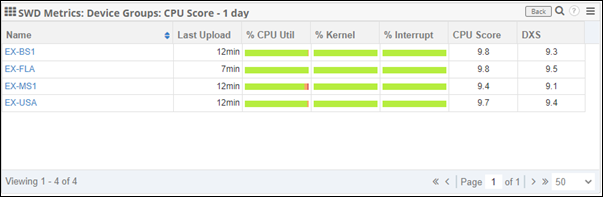
Device Groups
About Device Groups
Device Groups allow you to group machines that have Service Watch Desktop deployed. The grouping can be based on system, user, application, and attributes. Device Groups can be set statically or dynamically.
Device Groups help prioritize what needs to be done to improve user experience. Customers use them to group by department, line of business, geography, VIP users, and any way they want. With device groupings, it’s easy to understand who has the worst digital experience and why, in real time. Combined with built-in groupings (by network connection, type of device, even by ISP), you'll have fewer issues to deal with, and when issues occur, you can fix them faster.
This video introduces how to use Device Groups within dashboards to compare hardware resource usage, network types, and ISP performance across locations or user segments. It also shows how to create static and dynamic groups, helping you drill down into individual devices and pinpoint performance issues quickly.
Creating a Device Group
-
Sign in to Exoprise and navigate to Service Watch > Manage > Device Groups.
-
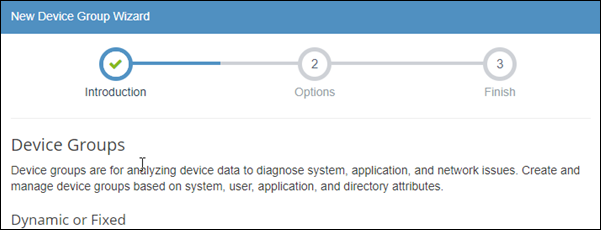
Click Add Group to start the wizard.
-
Choose one of the following group types:
Group type
Description
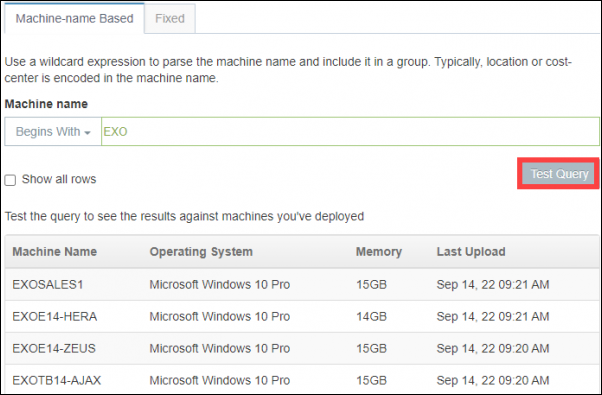
Machine-name-based group
This option allows you to dynamically group the Service Watch machines based on the name. Since this group type is dynamic, it will automatically update as new machines are added or removed.
Choose one of the following criteria:
-
Begins With: Find all devices that begin with the string you enter.
-
Ends With: Find all devices that end with the string you enter.
-
Contains: Find all devices that contain the string you enter.
The strings are case-sensitive.
Once you have selected the criterion and entered a string, click Test Query to preview the results.
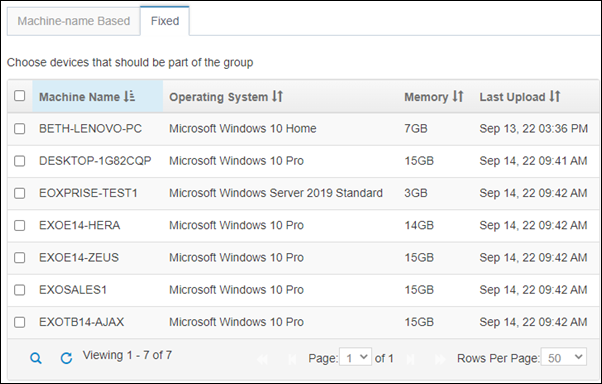
Fixed group
This option allows you to statically select the machines you want to be grouped. Fixed groups need to be manually updated upon changes.
Select the checkbox next to the machines you want to add to a fixed group.
-
-
Click Next.
-
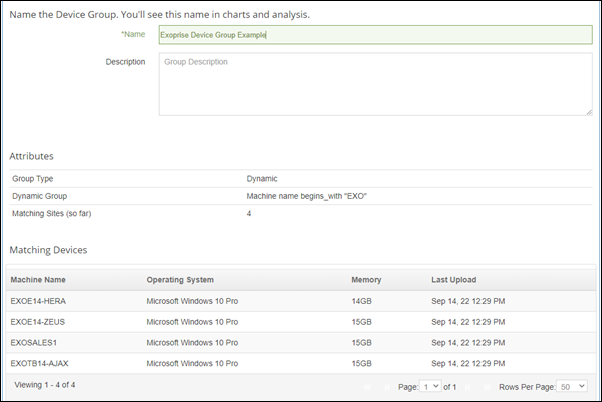
Enter a name for the Device Group. On this page, you'll also see a list of the attributes being used, as well as a list of the devices that met the criteria.
-
Click Finish.
Editing a Device Group
-
Navigate to Service Watch > Manage > Device Groups.
-
On the Manage Service Watch Device Groups page, click the group you want to edit.
-
In the Edit Device Group Wizard, apply the changes you are looking to make, then click Next.
-
From here, you can change the name and description of the group.
-
Click Finish.
Device Groups in dashboards
Device Groups can be used in the Service Watch Desktop, App Network dashboards, and individual widgets.
To add the Device Group filter to a widget, follow these steps:
-
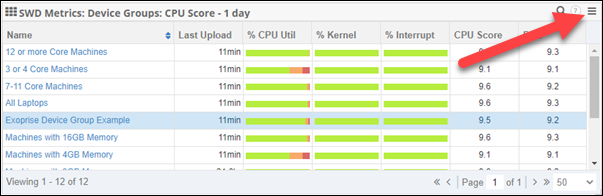
Click the menu icon in the top right of the widget and select Settings.
-
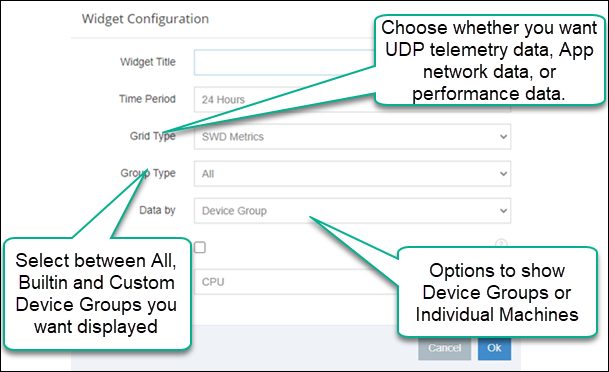
In the Widget Configuration window, select Device Group from the Data by drop-down list.
-
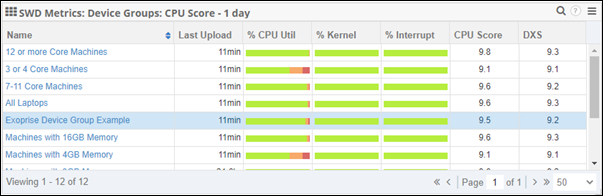
The widget will now show all of the Device Groups instead of individual machines, allowing you to see the average of the specified metric for all of the machines in the group.
-
Click one of the Device Groups to get a list of the machines and their metrics the widget is configured to show.