Solutions Core configuration
The Core Configuration page is only visible to users with the Solutions Admin role. Refer to Platform authentication setup.
The following sections walk through the core settings for Solutions but does not cover solution specific settings. You can reach this page from Solutions Settings > Configuration from each Solution.
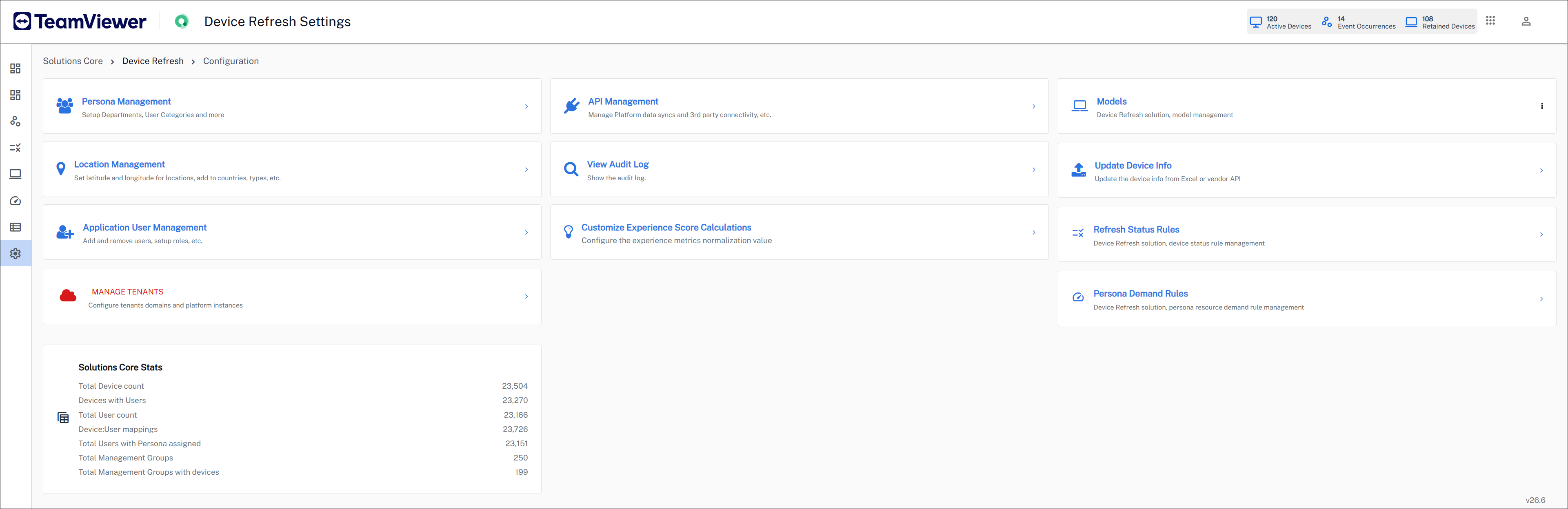
The Settings page includes a few common tabs, which are described in the later sections of this page. It also includes summary cards that display key metrics for each module.
For information about details about adding and removing users, and setup roles, refer to Application User Management.
 Persona Management
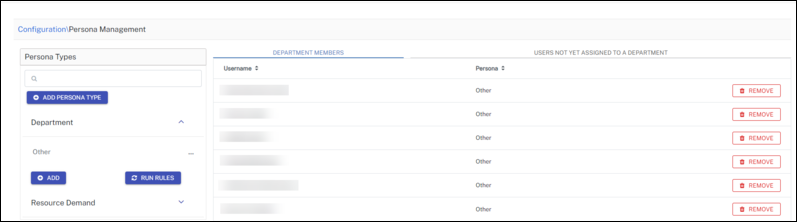
Persona management is used to define the persona types in your environment.
-
Initial setup for Solutions creates the DepartmentPersona Type with Other in it. All the users get added to Other by default.
-
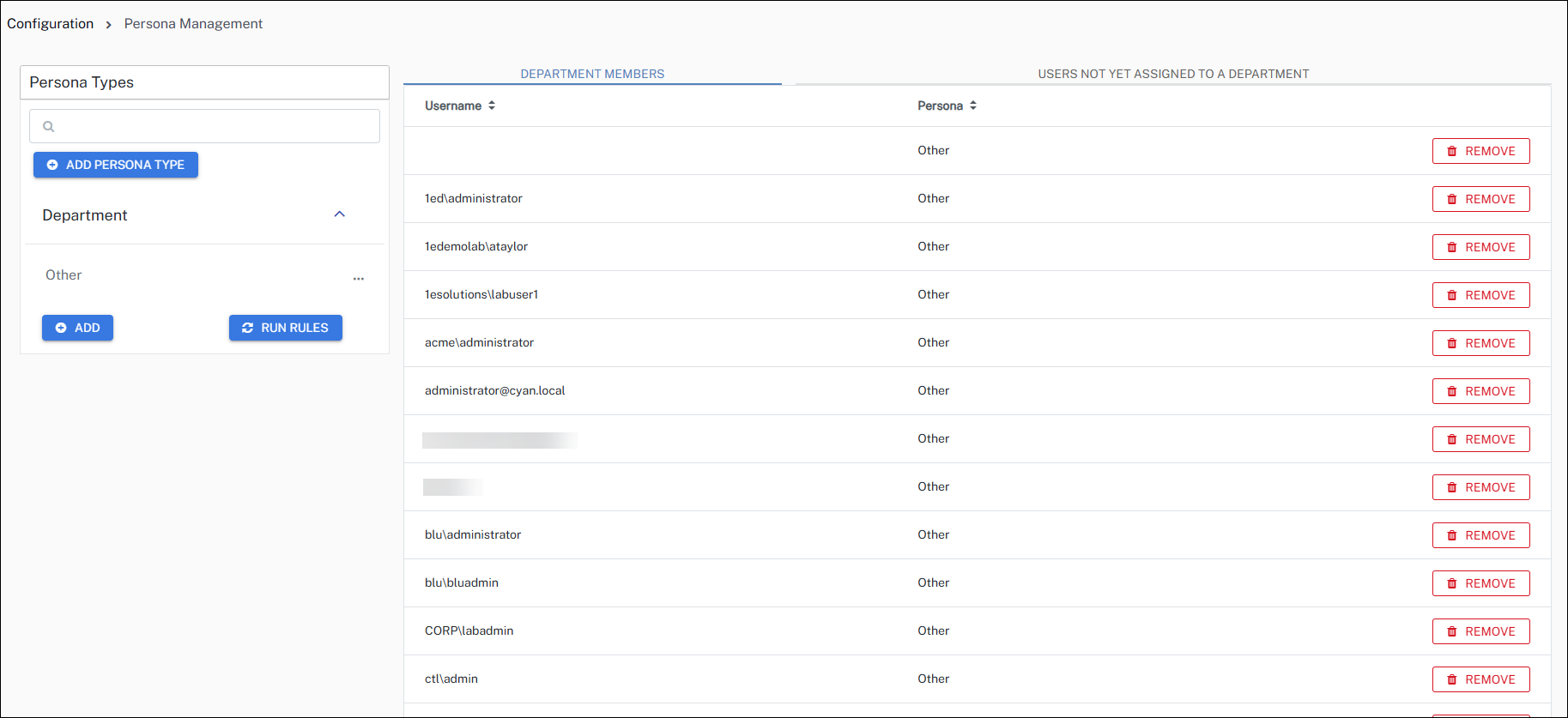
Admins can create other persona types and add rules to categorize users into different personas.
-
Whenever a rule is created, admins need to run the rules by clicking RUN RULES. After the rules are successfully evaluated, admins will see the list of users under the Members tab.
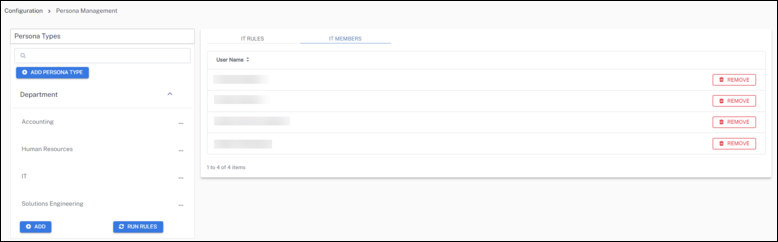
There is no auto run set for persona rules, so you should run rules as required.
API Management
The API Management section is used for configuring the following API functions.
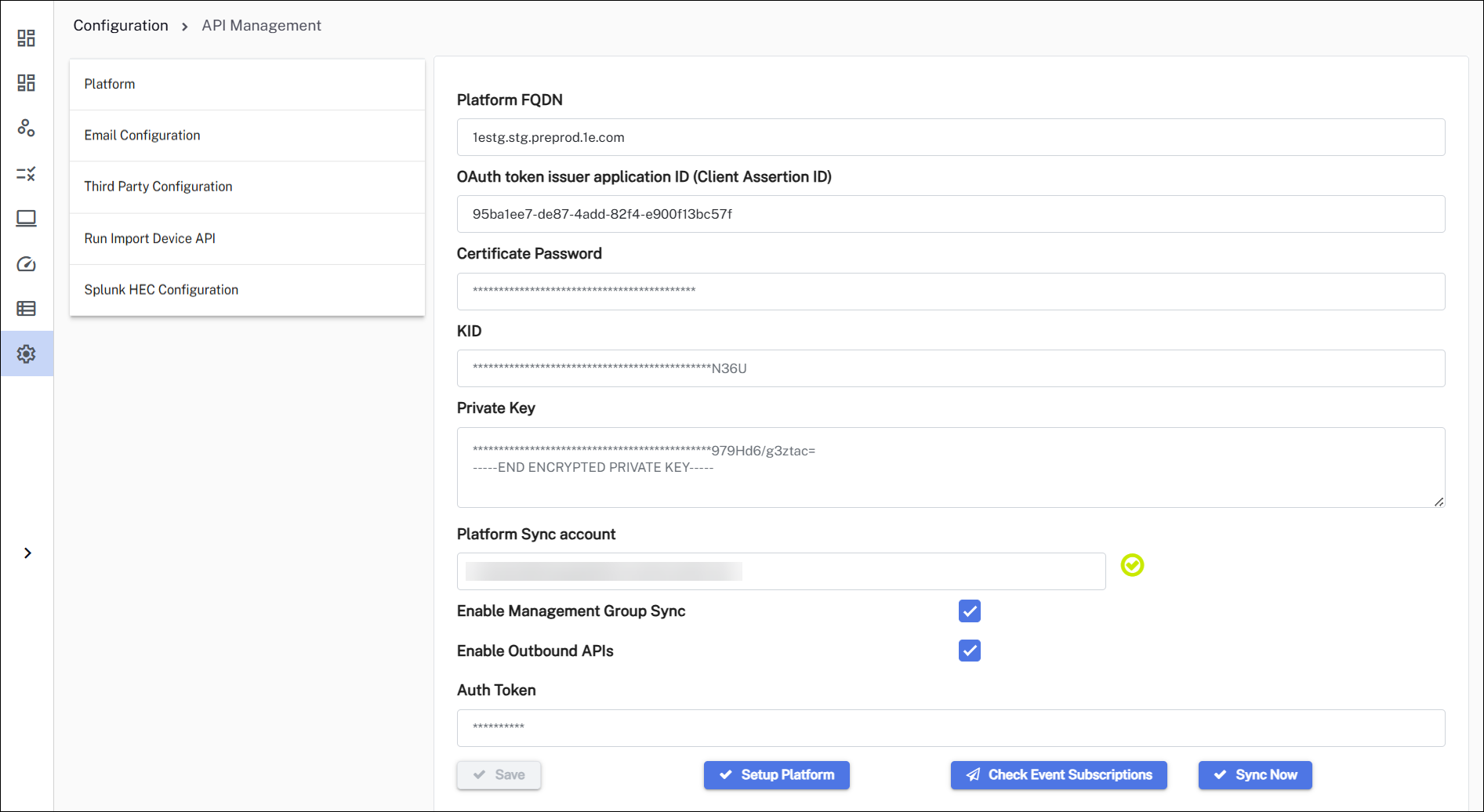
Platform
-
Complete the form.
Field
Description
Platform FQDN
<name of your Platform instance>.
OAuth token issuer application ID (Client Assertion ID)
Application (Client Id) of the Platform Integration AAD application.
Certificate Password
The certificate password for the non-interactive login.
KID
The KeyID (KID) of the certificate.
Private Key
Paste a copy of your Private Key, and ensure that only the Private Key component from the PEM file is used here.
Platform Sync account
Used to authenticate the background jobs running on Solutions.
The tick mark signifies whether the non-interactive authentication for sync account is configured successfully or not.
Enable Management Group Sync
Syncs the management groups from Platform into Solutions module.
Enable Outbound APIs
Enables the export of Solutions data.
Auth Token
The authentication token is required to authenticate requests to the Solutions export APIs.
This field is activated when you select Enable Outbound APIs.
-
When you have completed the form, click Save.
- Run setup: This creates event subscriptions, notifies you if there is a mismatch of the Solutions Core DEX Pack, checks your license, creates event subscriptions, and updates your Solutions menu to match your currently licensed Solutions. Running this confirms if you have completed the Platform settings on this page correctly.
- Running either of the following also validates if you can pull data from the Platform.
Check Event Subscription: This is required for Device Refresh. Displays any existing event subscriptions. If there are none, clicking Reset Event Subscriptions will automatically create them.
Sync Now: Initiates the device sync and management group sync.
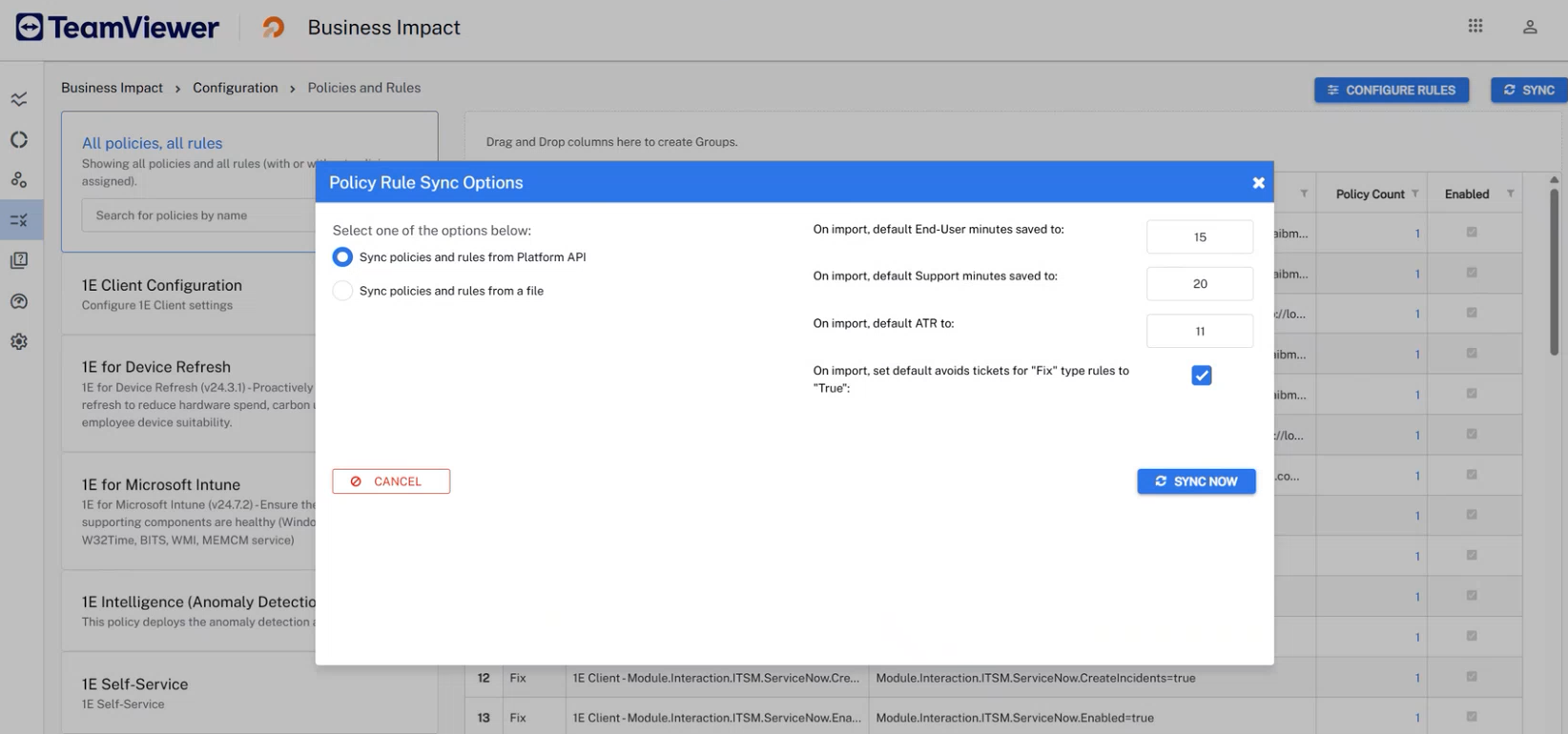
You can also go to Business Impact > Configuration > Policies and Rules and click Sync to pull data from the Platform API. If the sync works, you will see your policies here, and within 24 hours your other data will be available.
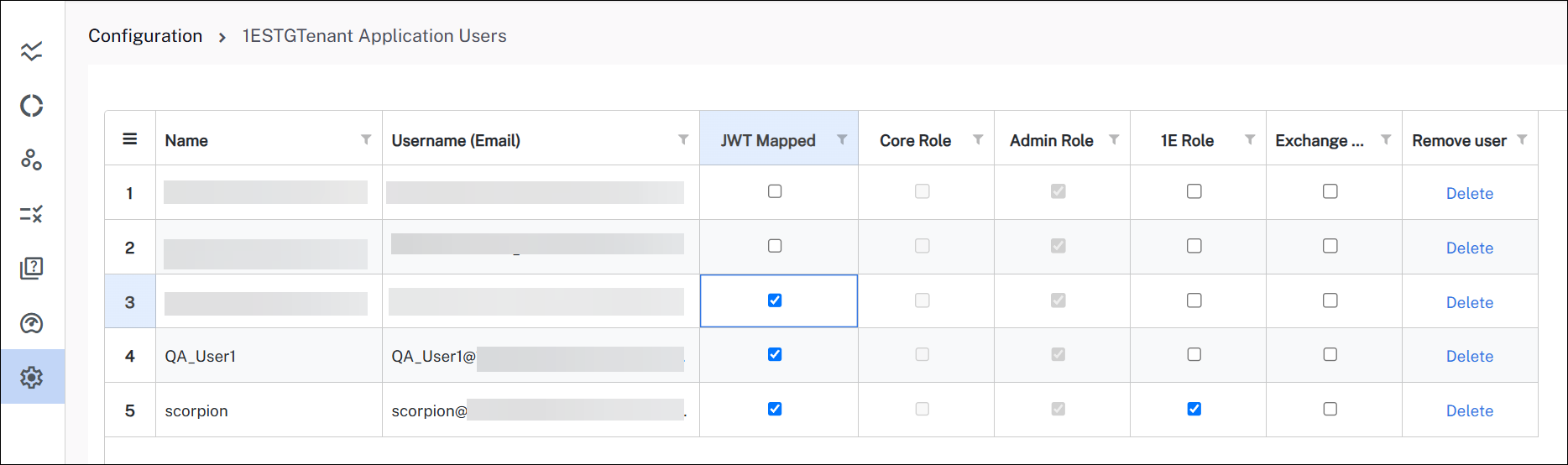
Ensure that JWT mapped is enabled for the logged-in user under Settings > Application User Management. This setting allows users to remain logged in even after their token expires. If it is not enabled, users will be prompted to re-authenticate each time the token expires, which can negatively impact the user experience.
Email Configuration
Use Email Configuration to send emails to end-users and your service desk based on Solution Actions. Solutions use Microsoft Graph API to send emails, refer to Identity Provider setup.
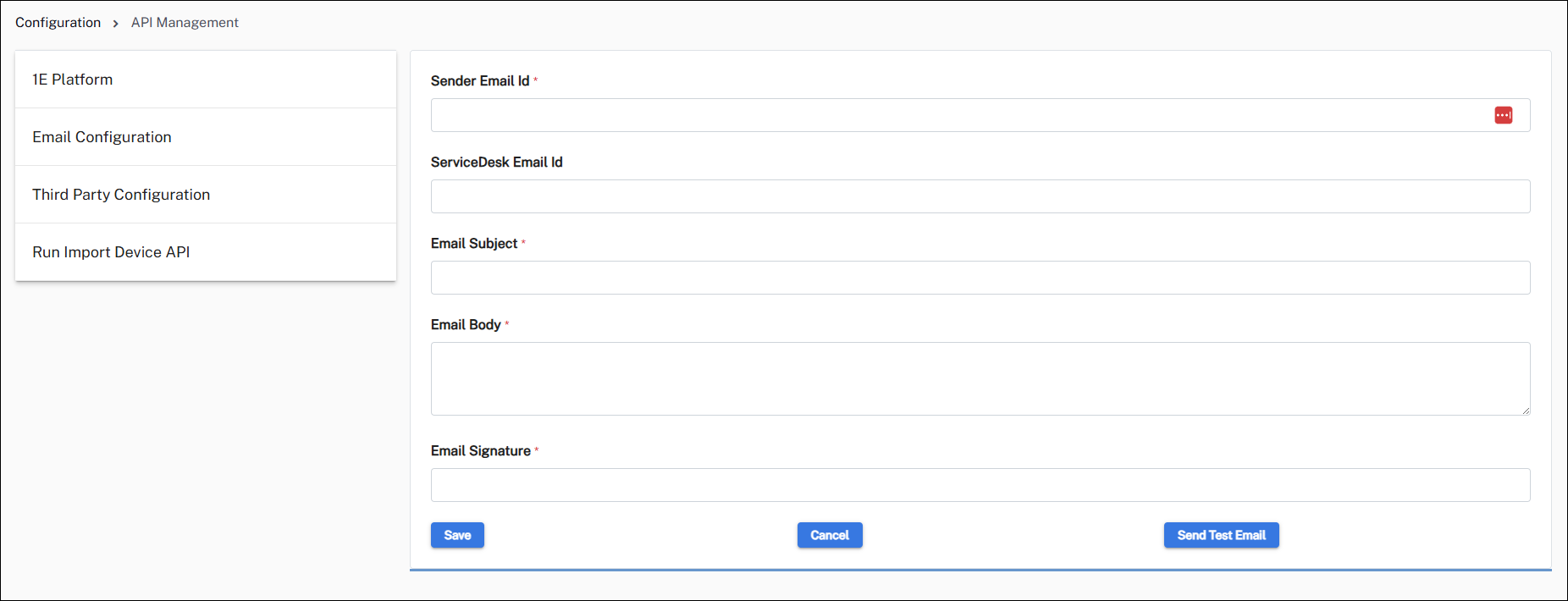
|
Field |
Description |
|---|---|
|
Sender Email Id |
This email is used for sending emails to users. This should be a valid email id and should have an inbox. |
|
ServiceDesk Email Id |
This is the email id of the Service desk to which emails will be sent. |
|
Email Subject |
Subject of the email. You can include <DeviceSolutionStatus>; and <DeviceName>; in the subject line. <DeviceSolutionStatus>; and <DeviceName>; will be replaced by the actual values. |
|
Email Body |
This will be the body of the email. You can include <DeviceSolutionStatus>; and <DeviceName>; in the subject line. <DeviceSolutionStatus>; and <DeviceName>; will be replaced by the actual values. |
|
Email Signature |
This is used to include the signature of the email. |
When you have completed the form, click Save.
Emails will now be sent based on your Solution Actions rules.
Third Party Configuration
Third Party Configuration is used to set up integrations between Solutions and third-party systems like ServiceNow, Jira Service Management, Freshservice, and Splunk ITSI via HEC to raise an incident ticket. These configurations enable the Platform to open incidents based on solution actions.
When the following parameters are included in the body, they are replaced by the accompanying value.
-
<RuleName>: Actual rule name that triggered the instruction
-
<DeviceName>: Actual device name on which rule has failed
-
<Status>: Status of the rule execution (for example check failed, fix passed, fix failed, etc.)
-
<RuleDescription>: The description for the executed rule
-
<Timestamp>: The date and time at which the rule was executed on the device, in UTC
-
<UserName>: Primary user of the device for basic authentication
-
<UserEmail>: Email of the primary user for basic authentication
-
<ClientId>: Client Id for OAuth
-
<ClientSecret>: Client secret for OAuth
Solutions supports the following third-party systems. When you choose any of the tools and provide the required details, an incident is raised in the respective system.
ServiceNow
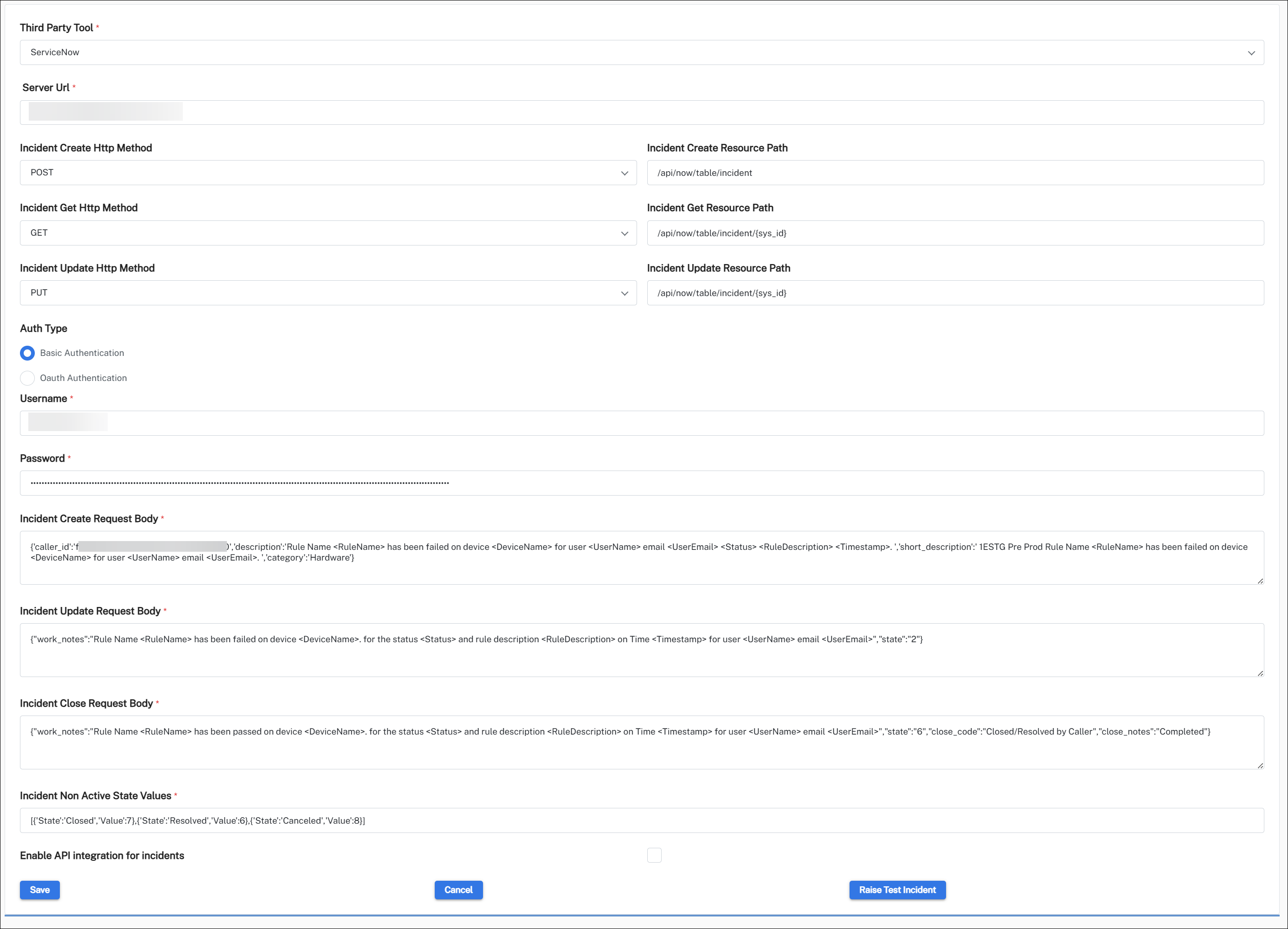
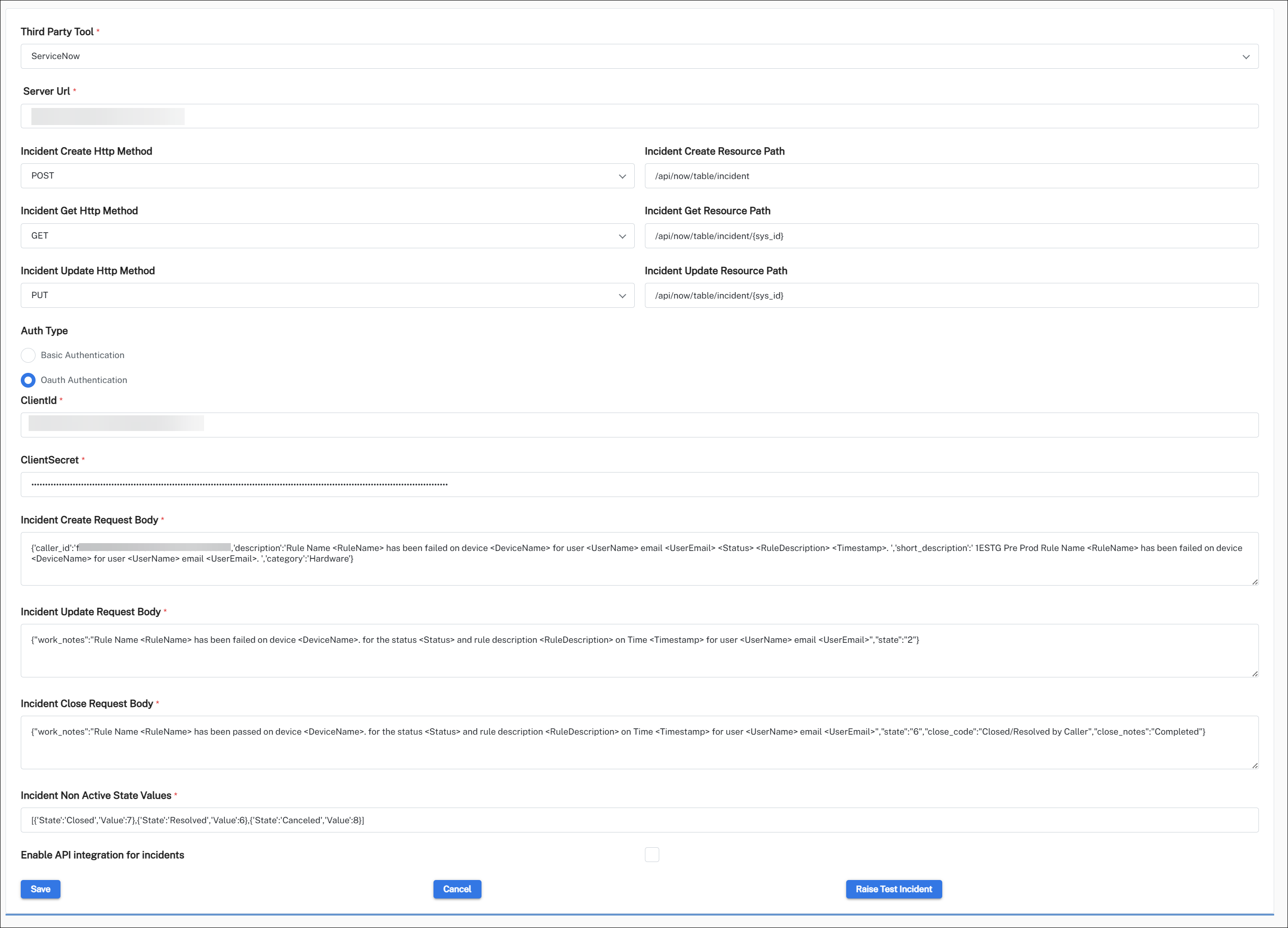
This integration supports both basic and OAuth authentication methods.
Jira Service Management
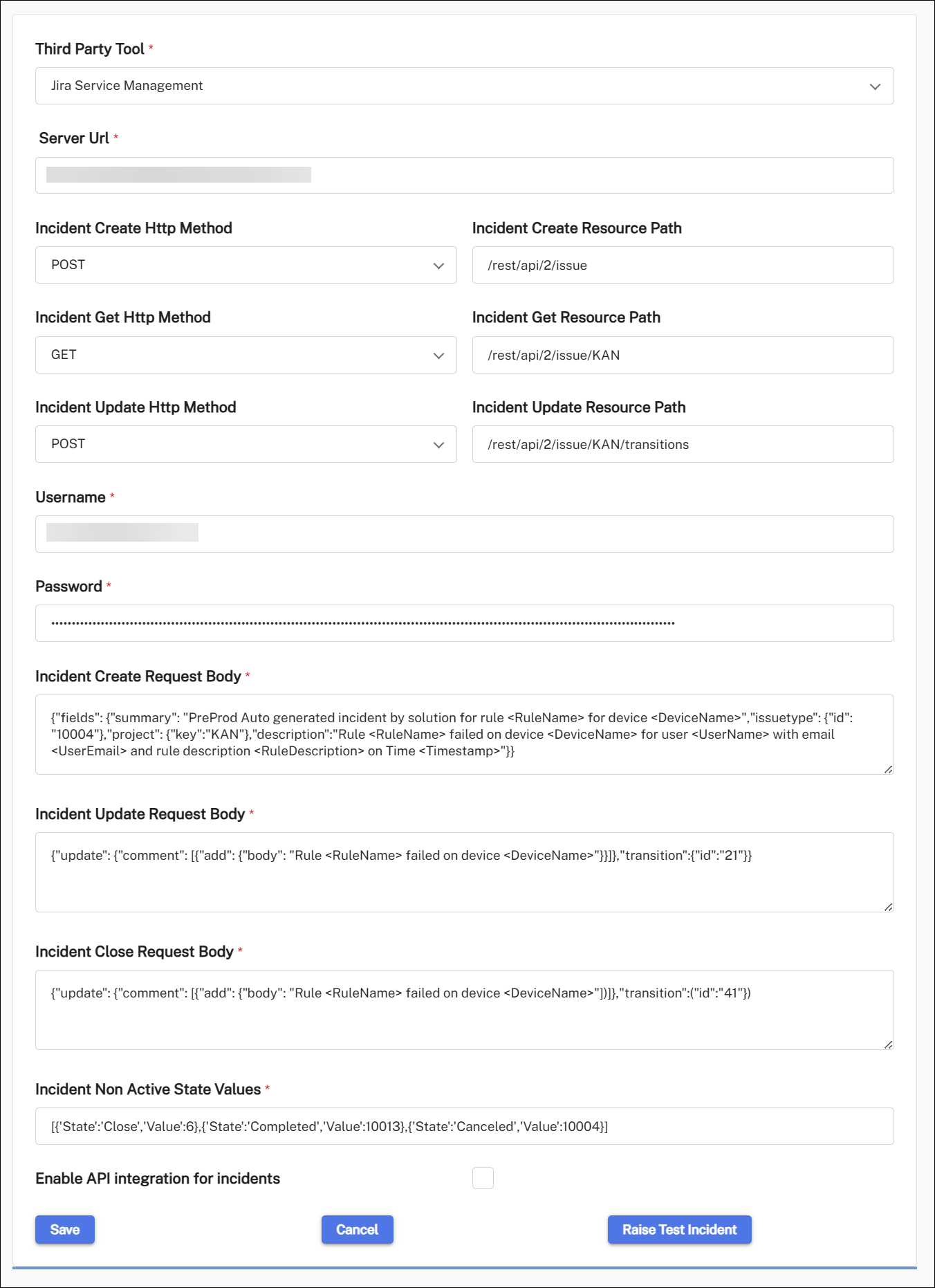
This integration uses Basic auth for the REST APIs authentication method, for details about this refer to:
-
The Jira Cloud platform REST API: Issues
Freshservice
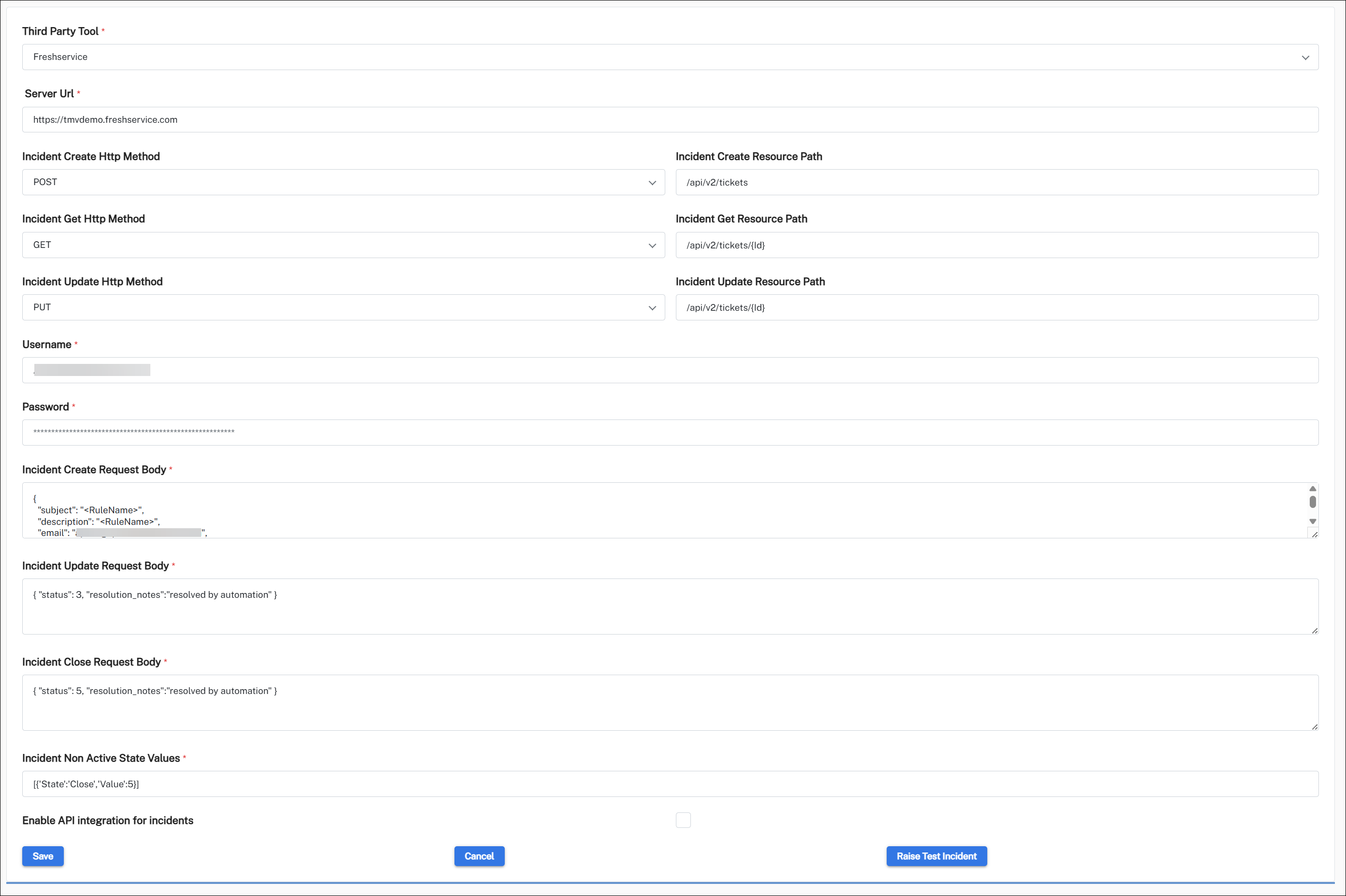
The username here is the API token.
Create Issue
Reference documentation: Create issue.
Example:
Method: POST
URL: https://1edev1.atlassian.net/rest/api/2/issue
Authorization: Basic Auth (Username and Password required. API token to be set as the password).
Body:
{"fields": {
        "summary": "Test Incident 6",
        "issuetype": {
            "id": "10001"
        },
        "project": {
            "key": "DS2"
        },

        "description":"Rule name failed on device X"


    }
}Response:
{
    "id": "10031",
    "key": "DS2-7",
    "self": "https://1edev1.atlassian.net/rest/api/2/issue/10031"
}Reference documentation: Edit issue.
Close Issue
Reference documentation: Transition issue.
Example:
Method: POST
URL: https://1edev1.atlassian.net/rest/api/2/issue/DS2-5/transitions
Authorization: Basic Auth (Username and Password required. API token to be set as the password).
Body:
Transitions id is the status of the issue. Different transitions id can be found through Get transitions API.
Reference Get transitions.
{
   "update": {
      "comment": [
         {
            "add": {
               "body": "It is time to finish this task"
            }
         }
      ]
   },
   "transition":{
       "id":"111"
   }

}Response: API returns a 201 status which is No-Content on success.
Get Issue
Reference documentation: Get issue.
Example:
Method: POST.
URL: https://1edev1.atlassian.net/rest/api/2/issue/DS2-2
Authorization: Basic Auth (Username and Password required. API token to be set as the password).
No content in set in body.
Response:
{
    "expand": "renderedFields,names,schema,operations,editmeta,changelog,versionedRepresentations",
    "id": "10026",
    "self": "https://1edev1.atlassian.net/rest/api/2/issue/10026",
    "key": "DS2-2",
    "fields": {
        "status": {
            "self": "https://1edev1.atlassian.net/rest/api/2/status/1",
            "description": "The issue is open and ready for the assignee to start work on it.",
            "iconUrl": "https://1edev1.atlassian.net/images/icons/statuses/open.png",
            "name": "Open",
            "id": "1",
            "statusCategory": {
                "self": "https://1edev1.atlassian.net/rest/api/2/statuscategory/2",
                "id": 2,
                "key": "new",
                "colorName": "blue-gray",
                "name": "To Do"
            }
        }
    }
}This version of integration uses Basic auth for REST APIs authentication method.
Splunk ITSI via HEC
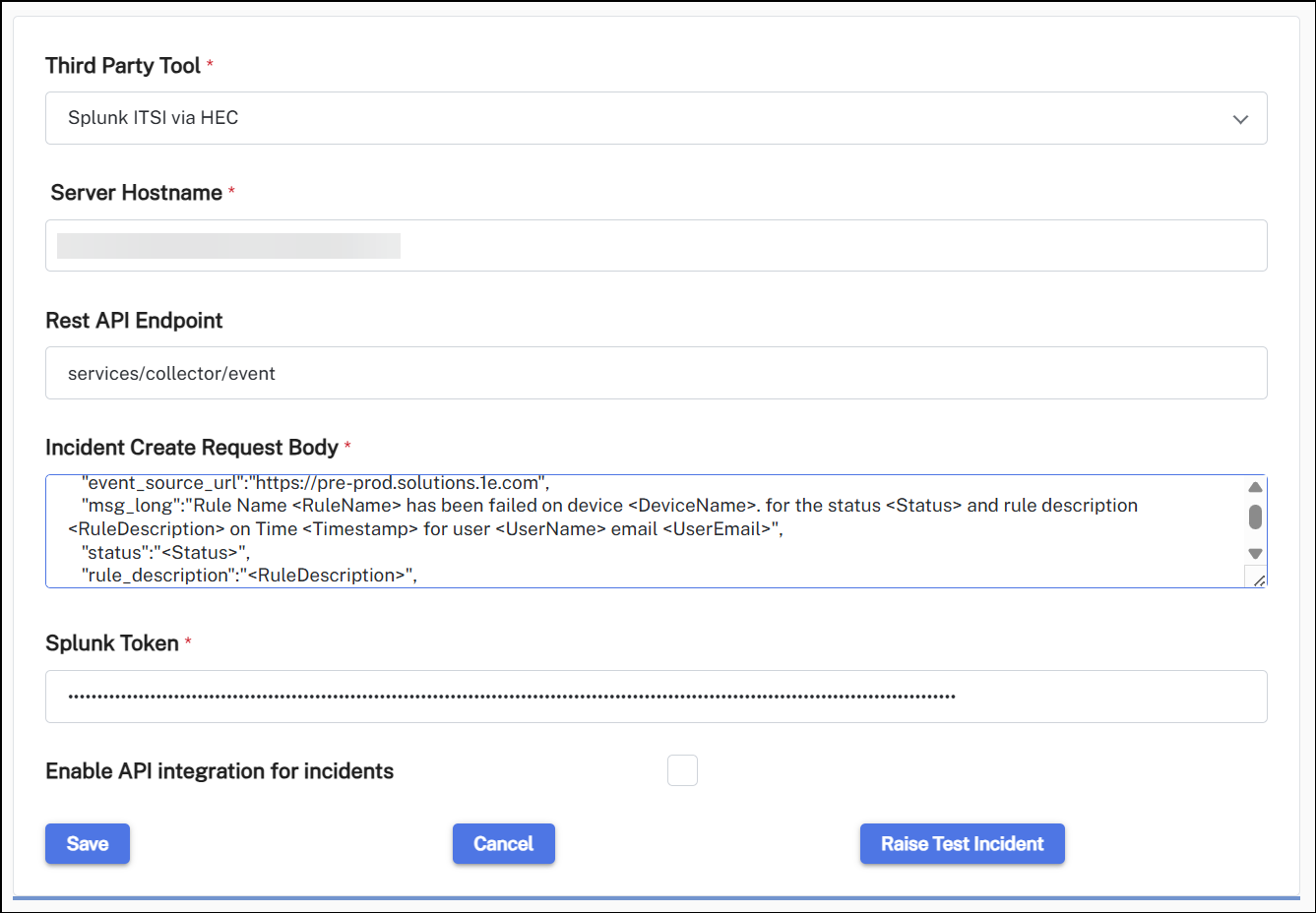
The incident body must include all the required parameters.
Run Import Device API
Run Import Device API is used to push pending device information from the staging table to the main device table. Because there is a scheduled job to automatically push the devices, it is recommended this function should only be used if there is a need to immediately push them to the main table (for testing/troubleshooting).
View Audit Log
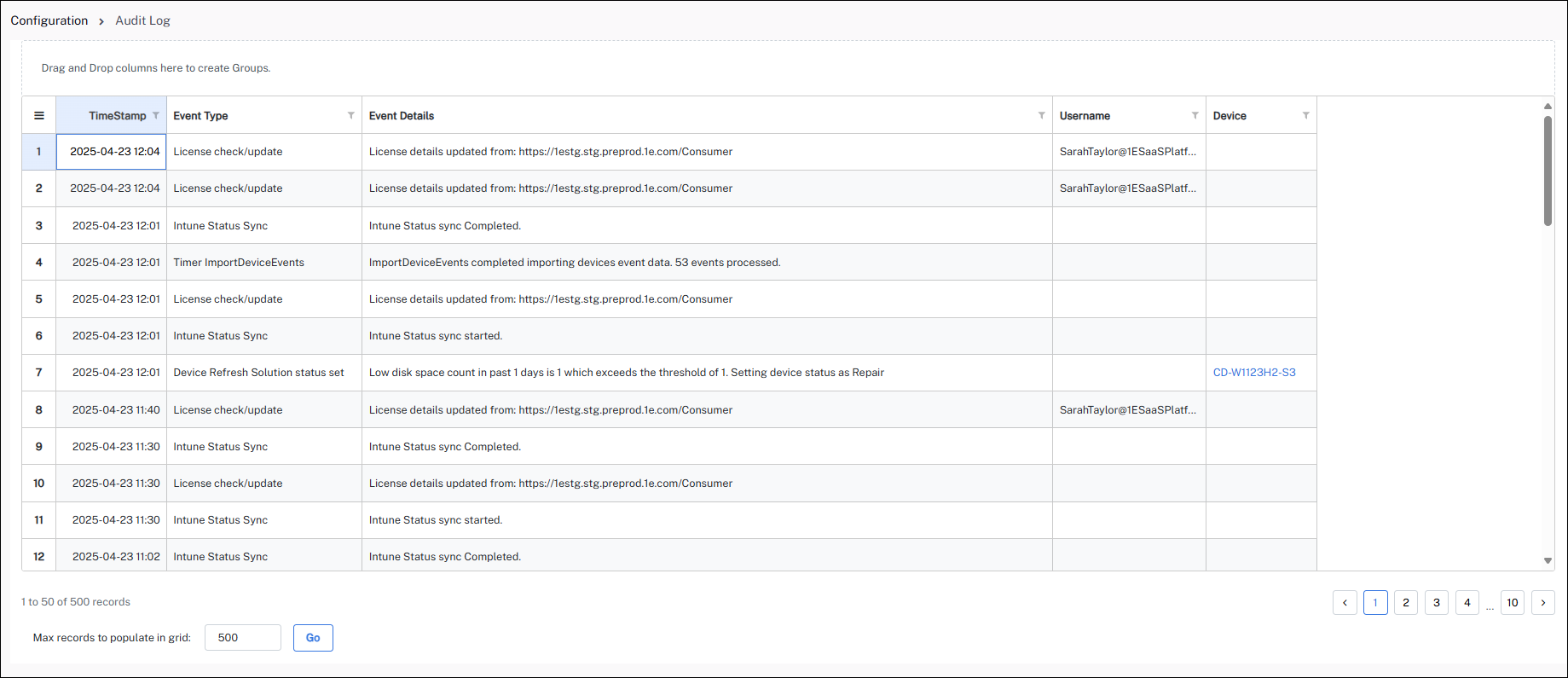
Audit logs offer a comprehensive record of all admin and device activities, including event-related data. Customers can access detailed logs to track changes. Audit logs are currently retained indefinitely, ensuring a complete and enduring record of activities.