TeamViewer DEX 26.9 release notes
 Schedule
The schedule is subject to change. When changes are made to the original schedule, they are indicated in red. Please check the TeamViewer Status Page for regular updates.
DEX Platform
|
Region |
Date |
Time from (UTC) |
Time to (UTC) |
|---|---|---|---|
|
CanadaCentral1 |
Monday, September 7, 2026 |
8 AM |
12 PM |
|
NorthEurope1 |
Tuesday, September 8, 2026 |
3 PM |
6 PM |
|
WestUS1 |
Wednesday, September 9, 2026 |
8 AM |
11 AM |
|
UKSouth1 |
Wednesday, September 9, 2026 |
6 PM |
9 PM |
|
WestUS2 |
Thursday, September 10, 2026 |
7 AM |
10 AM |
|
EastUS1 |
Thursday, September 10, 2026 |
8 AM |
11 AM |
|
WestEurope1 |
Thursday, September 10, 2026 |
5 PM |
8 PM |
Solutions
|
Region |
Date |
Time from (UTC) |
Time to (UTC) |
|---|---|---|---|
|
CA-Central-1 |
Tuesday, September 8, 2026 |
12 PM |
2 PM |
|
US-East-1 |
Thursday, September 10, 2026 |
11 AM |
1 PM |
|
EU-West-1 |
Friday, September 11, 2026 |
3.30 AM |
5.30 AM |
This release includes enhancements and fixes for the Platform and Client.
Tia Reporting for Inventory
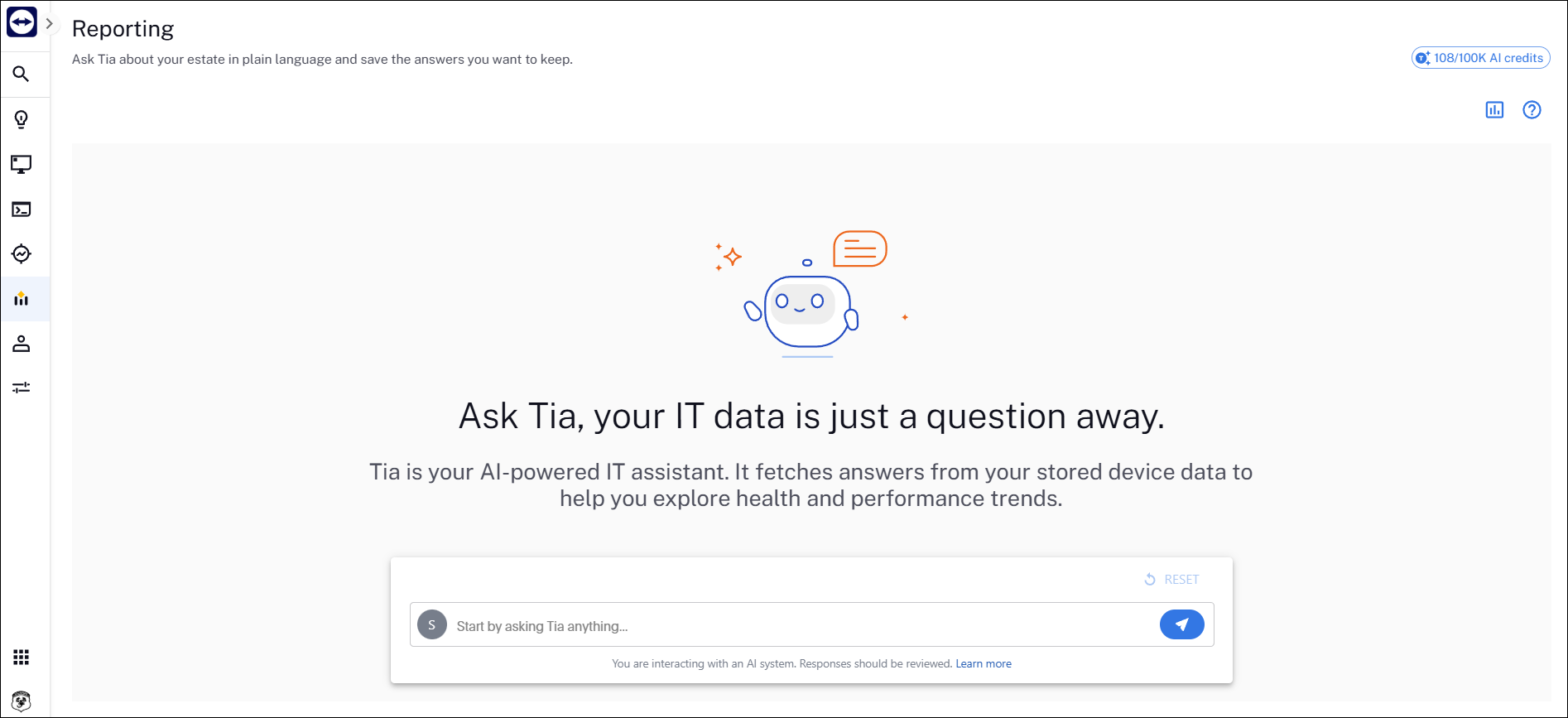
Tia Reporting now supports the Inventory data model in addition to Experience data. This means you can report across both data models to answer key inventory questions. For example, how many devices have a specific software title installed, or what software is installed for a given management group. Refer to Reporting.
AI credits usage tracking
DEX Platform AI credit visibility
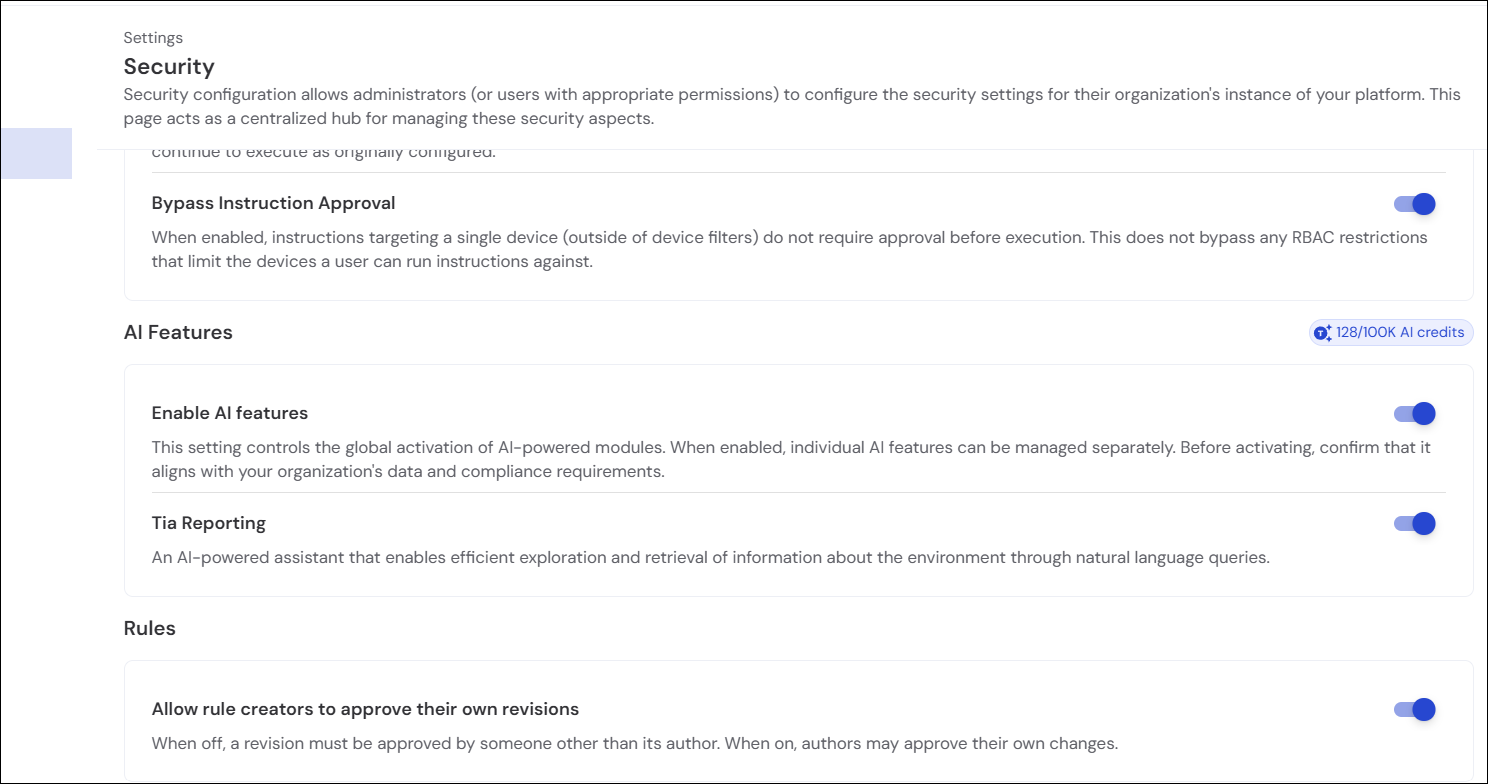
DEX Platform now provides visibility into AI credit consumption, giving administrators a clear view of how AI features are being used across their organization. AI credits refresh monthly, with a limit of one AI credit per licensed endpoint. Refer to AI Features.
Credit consumption rates
DEX Tia Reporting (ThoughtSpot/Spotter integration):
-
15 AI credits per interaction or query (generating an AI dashboard or complex conversational query report)
DEX Tia Hub (SCALE script automation & builder):
-
5 AI credits for initial script generation
-
3 AI credits per script update or refinement
Administrators can monitor credit usage, track consumption trends, and view remaining balances directly from the DEX Admin console, enabling organizations to manage AI feature adoption effectively and plan credit top-ups ahead of time.
Application Network Monitoring data (Early Access)
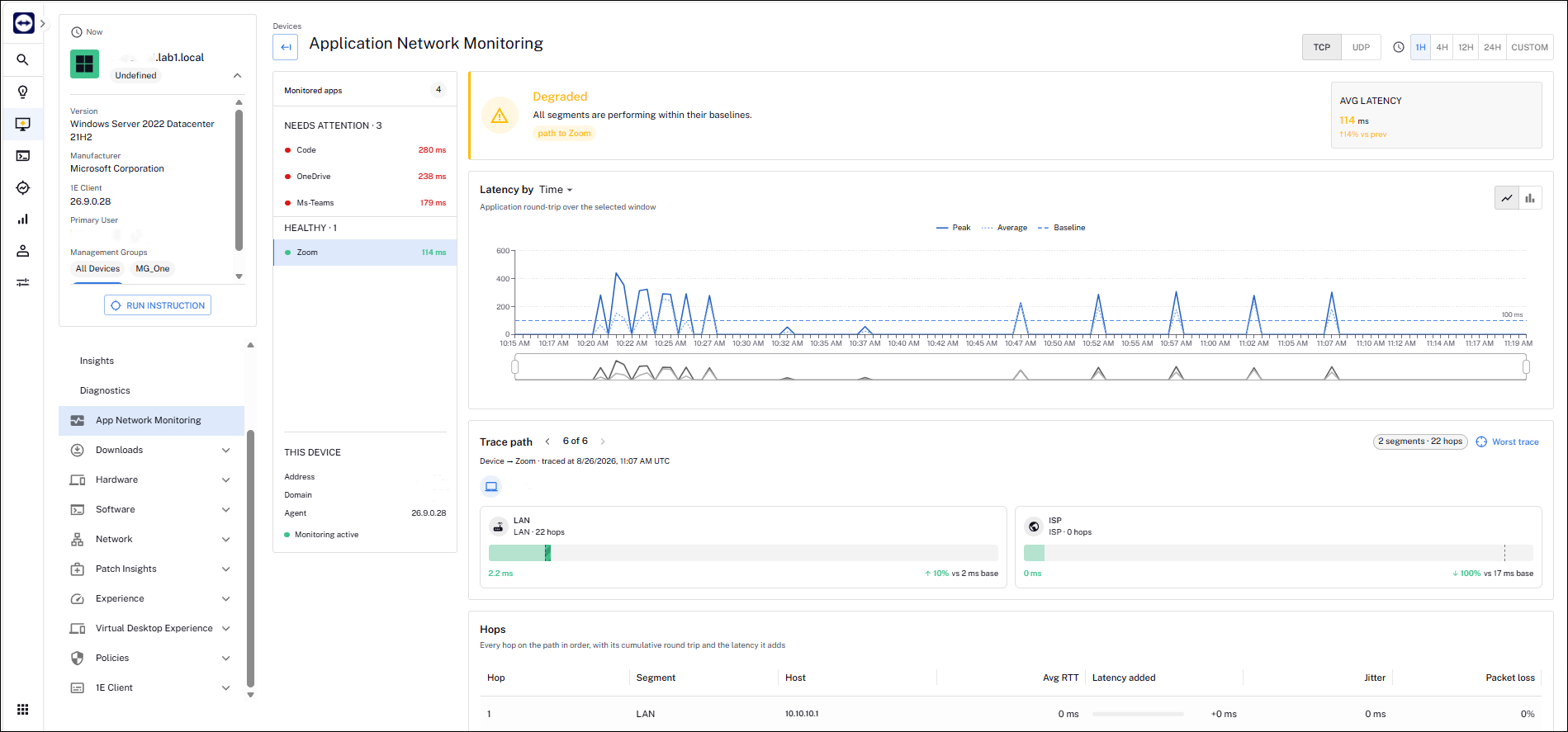
Native Application Network Monitoring is now available to interested Early Access customers. This feature replaces the Exoprise iframe in the DEX console. Capabilities that previously relied on the Exoprise back end now run natively in the 1E client module, removing the need for external Exoprise services, agents, or browser extensions.
This feature is controlled by a feature flag for customers with Exoprise or Enterprise Plus licenses. Eligible customers should contact their Customer Success team to register interest in Early Access to this functionality.
Versions and support
Client
The Client has been updated in this release. The table below shows the supported operating systems and corresponding Client build versions.
|
Operating system |
1E Client build version |
|---|---|
|
Windows |
26.9.0.35 |
|
macOS |
26.9.0.35 |
|
Linux:
|
26.9.0.35 |
MSVCRT version is 14.44.35208.0 for this 1E Client release.
Applications and tools
Please review the list of supporting applications and tools, as it may change with each release. Associated resources can be downloaded from the TeamViewer Support Portal.
|
Applications and tools |
Updated with this release |
Versions supported with this release |
|---|---|---|
|
Client Deployment Assistant |
|
26.9.0.5 |
|
TIMS |
|
26.9.0.35 |
|
Content Distribution Tools |
|
26.3.0.11 |
|
PXE Everywhere |
|
26.1.0.4 |
|
1E SDK |
|
26.6.0.6239 |
|
1E Toolkit |
|
24.7.0.2 |
|
Product Pack Deployment Tool |
|
24.12.0.12256 |
|
1E PowerShell Toolkit |
|
1.2.34.0 |
|
DataSync Agent |
|
1.4.0.44 |

Enhancements and fixes
|
Enhancement or Fix |
Product/Client |
Issue ID |
Summary |
|---|---|---|---|
|
Enhancement |
Inventory Insights > Non-Normalized Software |
PLAT-29816 |
Software titles that receive a partial match during normalization now display a Partially Normalized indicator in the non-normalized software list. This allows administrators to easily identify titles that were partially matched but not fully normalized and ensures the correct software data is visible when creating match rules to complete the normalization process. Refer to Normalized Software. |
|
Fix |
Client |
PLAT-32754 |
We fixed an issue that prevented the client from connecting to the switch when Proxy Override was enabled. The client now connects to the switch correctly, even when the Proxy Override is enabled. |
|
Fix |
Client |
PLAT-31595 |
We fixed an issue where the 1E Client would intermittently crash when a rule to clear the Chrome cache was executed on a recurring schedule. The issue has been fixed in 26.9, with testing on the latest build confirming stable behavior and no reproduction of the crash. |
|
Enhancement |
Tia Reporting |
PLAT-27744
|
The ThoughtSpot data models for Device Performance have been expanded to include GPU and NPU metrics, making this data available for analysis and Spotter queries in Tia. The new metrics cover both raw and scored values, including GPU and NPU dedicated memory usage percentage, shared memory usage percentage, and utilization percentage, giving administrators deeper visibility into device hardware performance across their estate. |
-
Beginning with 26.9 release, the DEX Maturity Model Benchmark Assessment in Business Impact is no longer supported.
-
Windows 10 LTSC 2016 is approaching its end of support on October 13, 2026. The 1E Client application currently supports this platform; however, support is planned to be removed in a future release. Customers are encouraged to upgrade to a newer supported Windows LTSC version.