NightWatchman Enterprise and the Platform
NightWatchman includes a 60 day Platform license so that you can use it to optimize NightWatchman. Refer to Enabling Online Status using 1E Platform integration.
Using the Platform to optimize NightWatchman
The NightWatchman console uses the Platform to display traffic lights live status of its clients – indicating whether they are currently online or offline (or unknown). You can also check the status of groups within the NightWatchman client hierarchy.
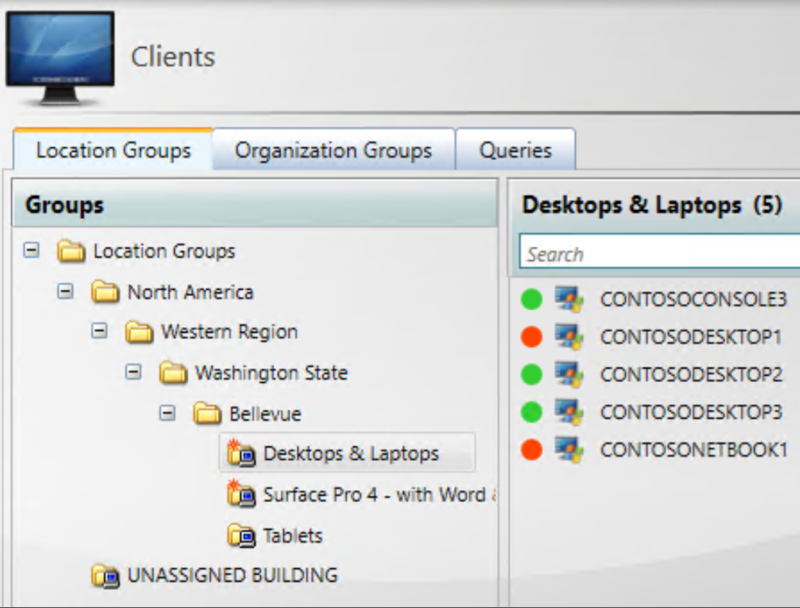
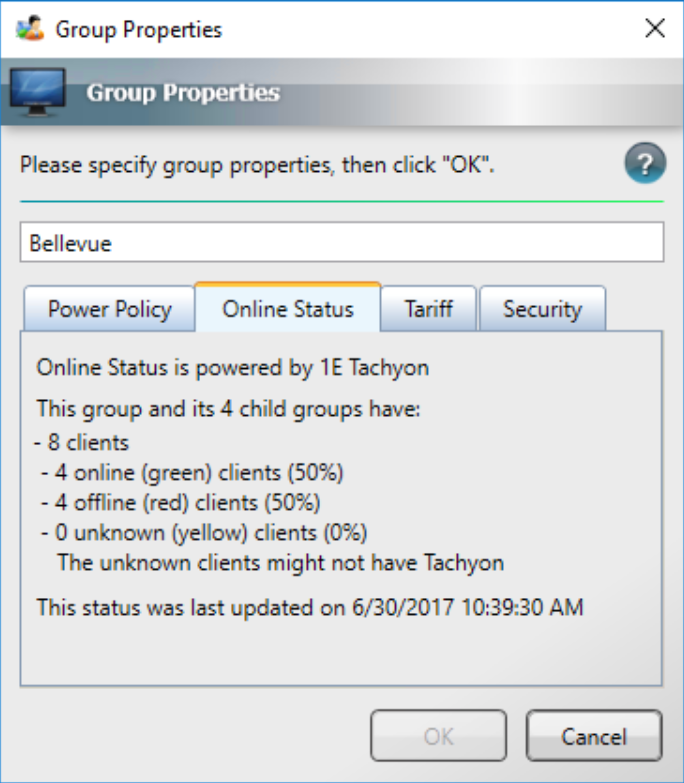
The statuses are:
-
Green: Online.
-
Red: Offline.
-
Yellow: Computer is not a Platform client.
-
Gray : Platform integration is not enabled.
Thanks to the Platform's ability to deliver near real-time client data, it can be particularly valuable to you when you are using WakeUp to wake clients for urgent maintenance, such as deploying a solution to a zero-day vulnerability.
You can also use the Platform to optimize NightWatchman by using Endpoint Troubleshooting to return live status on clients to check for:
-
NightWatchman or WakeUp client logs which might indicate an issue.
-
Clients with pending reboots that have become pending in just the last few hours.
-
Clients that don't have appropriate wake-on-LAN settings.