Observability
 |
|  |
| 
Learn how Observability provides real-time visibility into endpoint, application, and platform health through comprehensive monitoring, analytics, and operational insights. This overview explains how Observability helps IT teams detect issues faster, identify trends, troubleshoot performance problems, and improve service reliability across the enterprise.
Organizations increasingly expect data-driven decision-making capabilities to be available within the operational tools they use every day. However, many analytics workflows still depend on exporting data to external systems, creating unnecessary complexity, delays, and potential inconsistencies before insights can be acted upon.
Embedding Tia Reporting into the Platform delivers analytics functionality as an integrated, native capability. This approach eliminates reliance on external tools and enables real-time, in-platform insights that support timely, informed decision-making and improved business outcomes.
By using Observability you benefit from the following:
-
Accelerated time to insight: Provides immediate, in-context access to dashboards and analytics within the platform, eliminating tool switching and reducing delays in decision-making.
-
Reduced operational overhead: Enables self-service analytics capabilities that decrease reliance on dedicated BI teams, optimizing resource utilization and lowering overall reporting costs.
-
Increased operational productivity: Supports faster identification and resolution of endpoint and user experience issues through real-time, actionable insights.
-
Enhanced platform value and adoption: Strengthens the strategic value of your Platform by embedding advanced analytics capabilities, driving greater user engagement and long-term adoption.
AI generated content may be incorrect and should be reviewed to align with expectations.
For details about the subprocessors for DEX services, refer to the Subprocessor List.
Enabling Observability on your account
Conversational Reporting is only available to DEX Enterprise Plus customers. For assistance, contact your Professional Services representative or Customer Success contact.
The following prerequisites apply to Reporting and Liveboards. If these prerequisites are not met, Reporting and Liveboards will not be visible in the Platform.
-
You must have an Enterprise Plus license.
-
Tia Reporting must be enabled on the AI Settings page, refer to Security.
-
You must have at least one Reporting RBAC permission.
Role-Based Access Control (RBAC) requirements
As an Administrator, you need to enhance security and access control. By using RBAC, you can provide a more granular level of access to features and data. This allows you to control user access based on their roles and responsibilities, improving security and ensuring that users have the appropriate level of access.
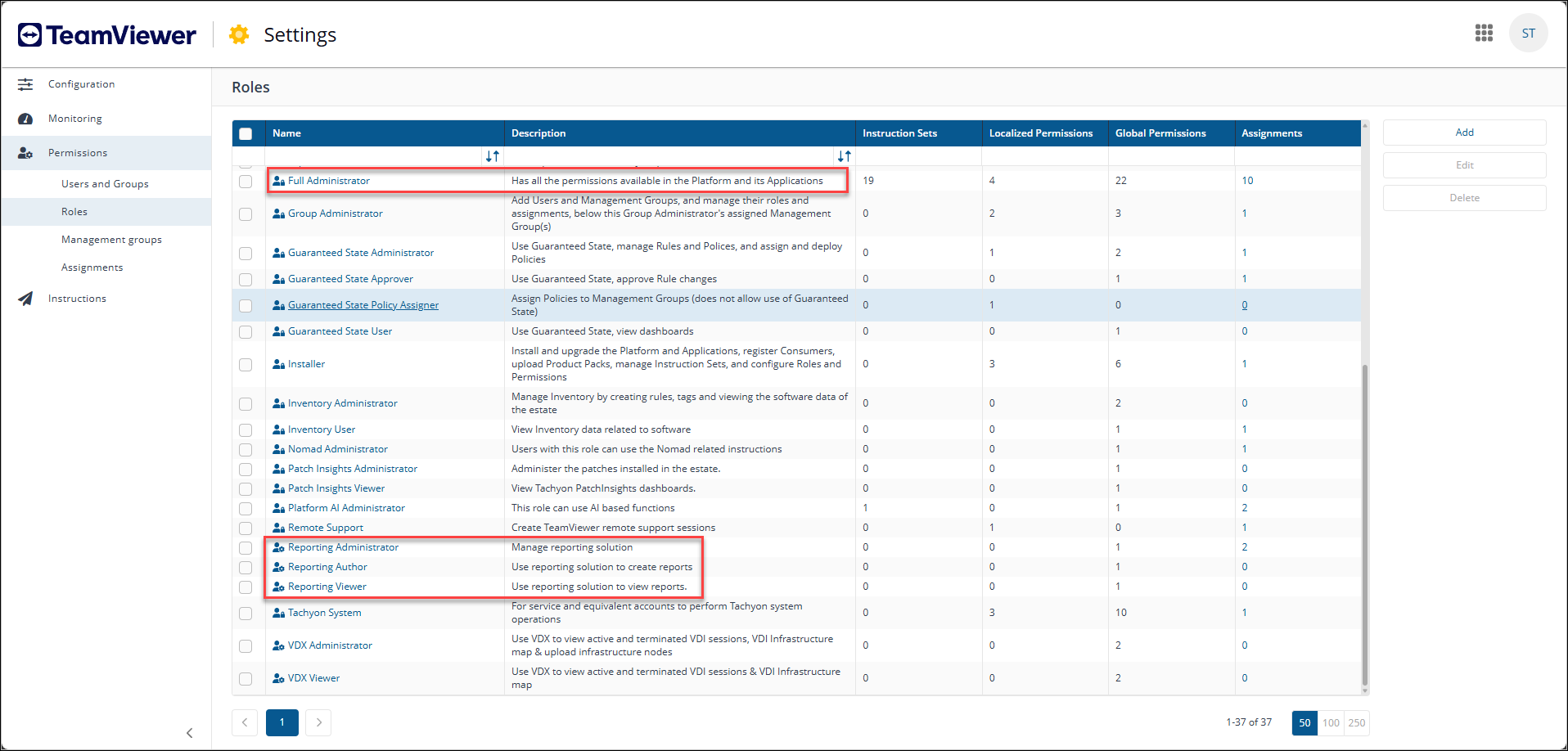
The following roles are available for Observability in addition to the Reporting feature included with the Full Administrator role.
|
Role name |
Description |
|---|---|
|
Reporting Administrator |
Has full access to all reporting features and content. |
|
Reporting Author |
Can view and create reporting content. |
|
Reporting Viewer |
Can view content only in permitted areas. With this role you cannot create content. |
To learn about how to configure Platform users, roles, and management groups, refer to Permissions.
Tia Reporting also supports management group-based access control, enabling reporting visibility to be restricted according to assigned management groups. Users can view and report only on data associated with the management groups to which they have access. All reporting components, including natural language reports, filters, and dashboards automatically enforce these access restrictions. This approach provides more granular governance over data visibility and helps ensure that users access only the data relevant to their roles and operational responsibilities.
Removing access to Tia Reporting
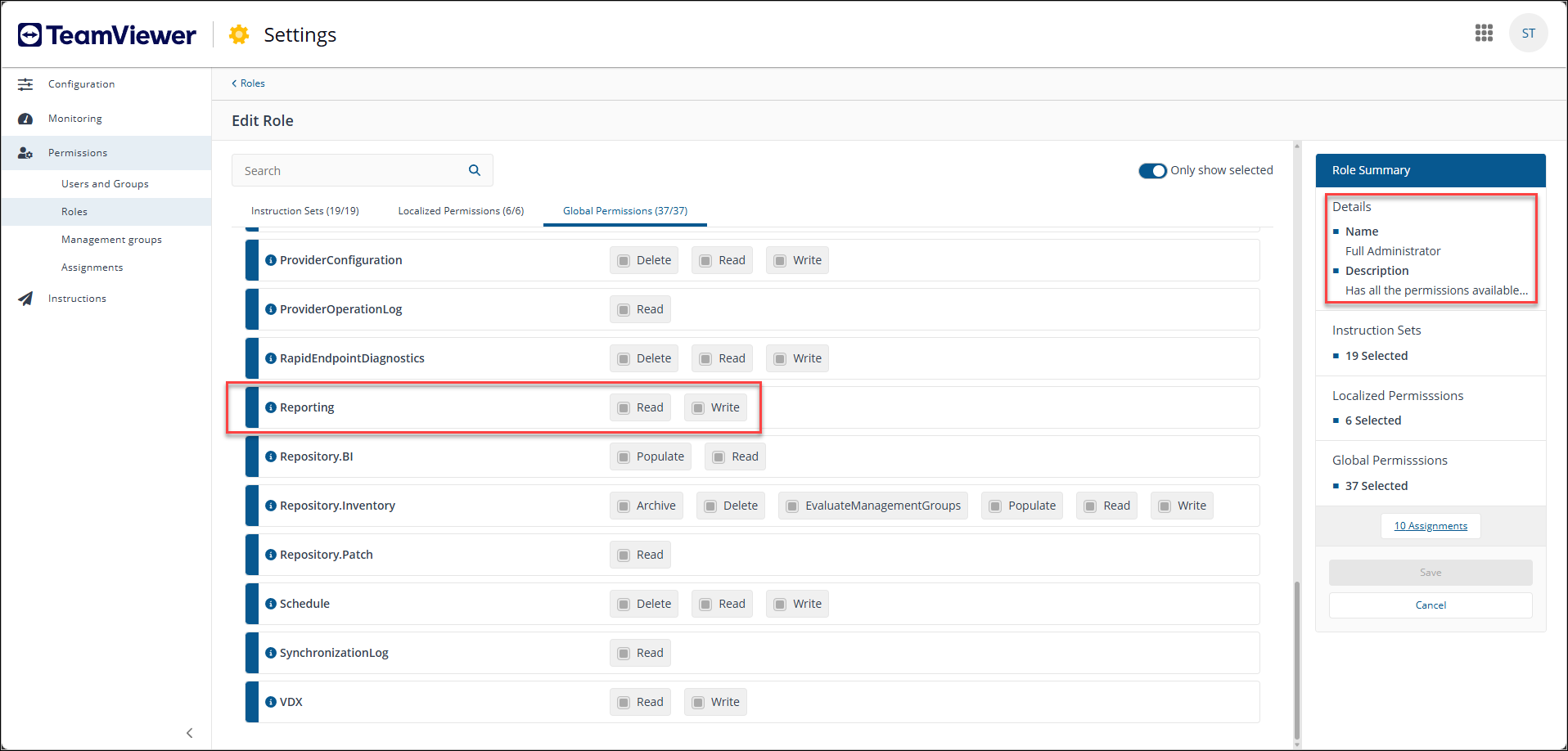
To completely remove access to Tia Reporting, ensure that no Platform user is a member of any of the three Reporting roles. The Observability menu will remain visible in the navigation, but users will not able to use the AI feature.
Full Administrators always have access to Tia Reporting because the role includes all permissions, including Reporting. Full Administrator is a system role and cannot be changed. For more information, refer to Platform roles.
Navigation
Observability is located in the new UI.
The new UI uses modern design principles and includes the following elements:
-
Expandable left-hand and drop-down menu: The menu can be expanded or collapsed using the chevron icon located at the top of the pane.
-
Search: Execute instructions and search for devices using keyboard shortcuts, including those based on their Fully Qualified Domain Name (FQDN) and Insights.
-
Intelligence: A powerful tool designed to enhance your organization's efficiency and decision-making capabilities.
-
Inventory Insights: Devices and Software are available in the left-hand navigation bar.
-
Investigation: Search, run, schedule, review, and manage device instructions directly from the console, including access to instruction history and scheduled tasks.
-
Observability: Ask questions in natural language and instantly generate and customize reports based on your organization’s data.
-
User Engagements: Create user engagements, surveys, and announcements in an appropriate language.
-
Settings: You can access and configure 1E Client certificates, integrations, Identity Provider certificates and Platform settings.
-
Module launcher: You can launch other Platform modules and any Solutions that are included with your license.
-
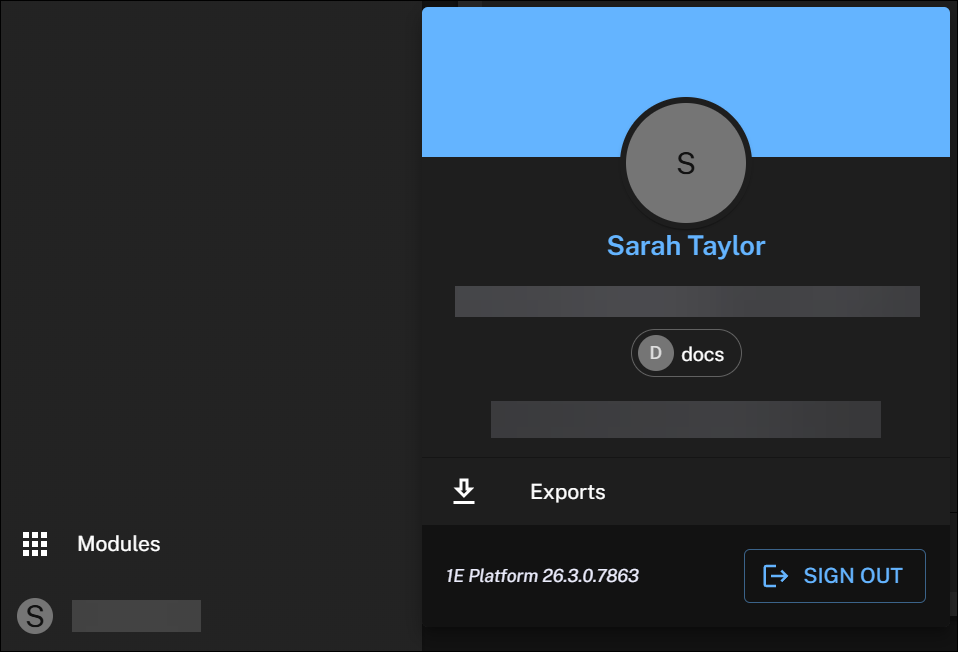
User profile: Click this to manage your exports, check your Platform version, or log out.
Dark mode is only available in the new UI. You can control the system theme using the switcher in Settings. For details refer to Appearance.
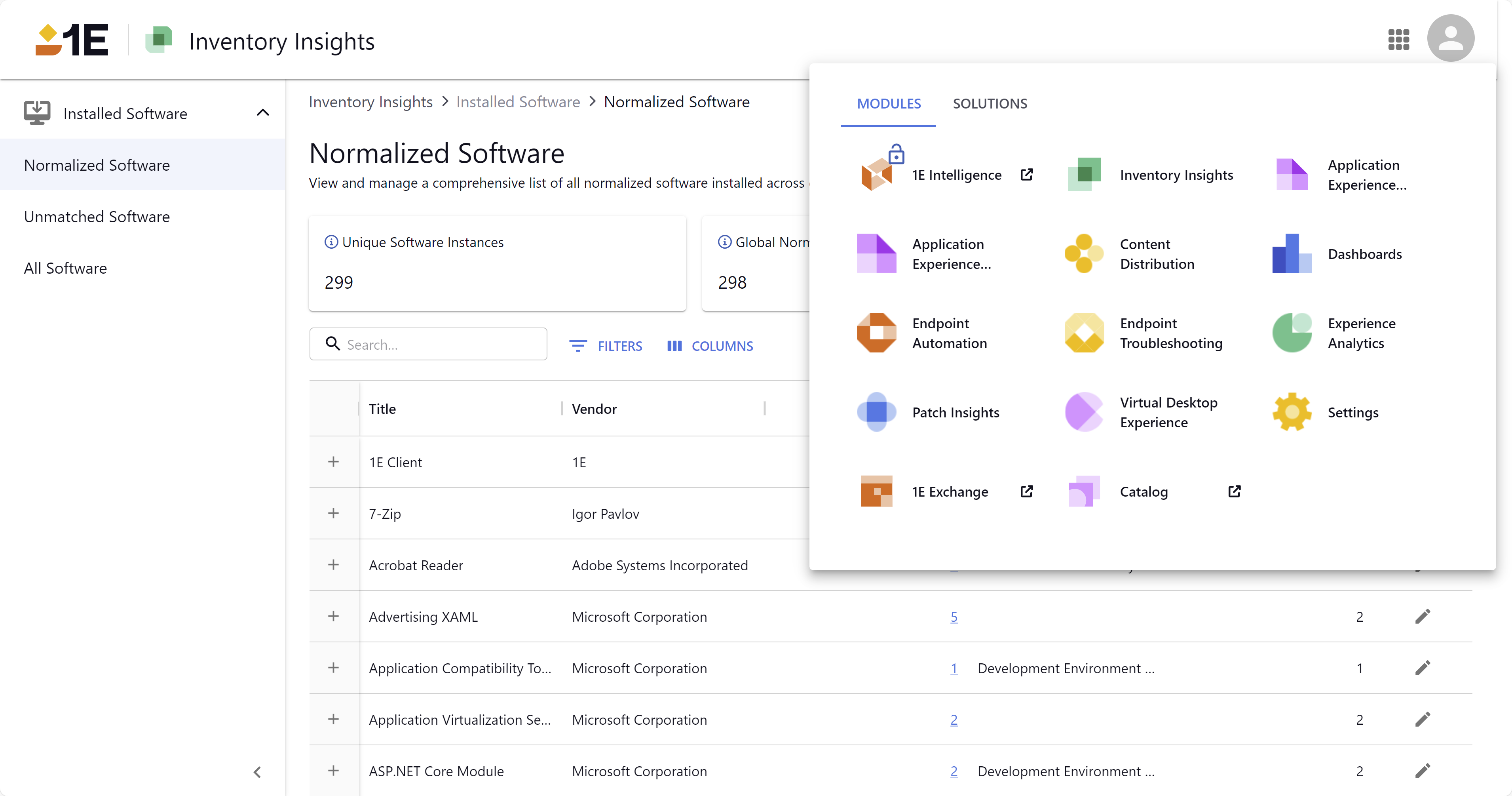
Module visibility is determined by your license.
Full Administrator is an exception, as you cannot completely remove access from this role.