DEX Intelligence
 |
|  |
| 
Learn about DEX Intelligence, including Intelligent Insights and Intelligent Sentiment capabilities that use predictive, causal, and generative AI to identify IT issues, analyze trends, and improve digital employee experience (DEX). This guide covers AI-driven insights, user frustration analysis, root-cause investigation, and proactive endpoint management for enterprise IT environments.
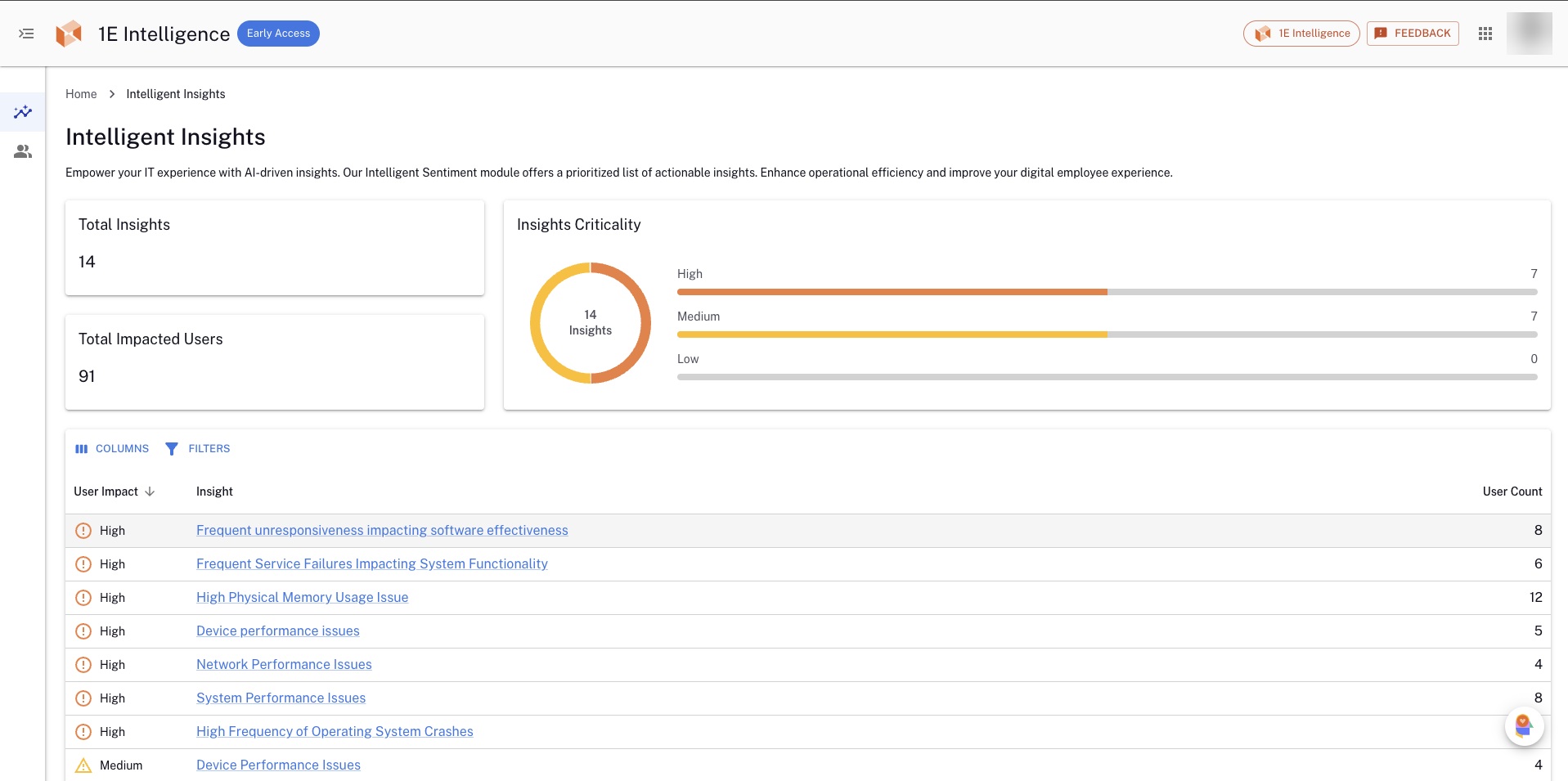
Insights: Empower decision-makers with Insights from DEX Intelligence, where predictive, causal, and generative AI converge to provide a deep understanding of the digital employee experience. Transform complex data into clear, actionable insights, ensuring digital workplace leaders can make informed decisions that boost uptime and operational efficiency. Refer to Insights.
Enabling DEX Intelligence on your account
To get access to DEX Intelligence, you need to contact your account team and follow these steps:
- Sign an agreement relating to DEX Intelligence.
- TeamViewer will then grant you access and work with you to configure the DEX Intelligence features.
Platform Modules and Solutions visibility depends on your license agreement.
Role-Based Access Control (RBAC) requirements
As an Administrator, you need to enhance security and access control. By using RBAC, you can provide a more granular level of access to features and data. This allows you to control user access based on their roles and responsibilities, improving security and ensuring that users have the appropriate level of access.
You need to be assigned one of the following roles:
|
Role name |
Description |
|---|---|
|
Full Administrator |
Has all the permissions available in the Platform and its applications. |
|
1E Intelligence Administrator |
Can view DEX Intelligence and access the Admin Panel. |
|
1E Intelligence Viewer |
Can view DEX Intelligence. |
To learn about how to configure Platform users, roles, and management groups, refer to Permissions.
Enabling DEX Intelligence on your devices
DEX Intelligence uses a DEX Pack to gather device and user interaction telemetry, and also to deploy our edge AI capabilities to your endpoints. This is configured as a policy within Endpoint Automation. You will be provided access to the DEX Pack as part of your onboarding to DEX Intelligence. Refer to Endpoint Automation.
Navigation
When using DEX Intelligence, there are a number of updated options in the left-hand navigation.
The new UI uses modern design principles and includes the following elements:
-
Expandable left-hand and drop-down menu: The menu can be expanded or collapsed using the chevron icon located at the top of the pane.
-
Search: Execute instructions and search for devices using keyboard shortcuts, including those based on their Fully Qualified Domain Name (FQDN) and Insights.
-
DEX Intelligence: A powerful tool designed to enhance your organization's efficiency and decision-making capabilities.
-
Inventory Insights: Devices and Software are available in the left-hand navigation bar.
-
Investigation: Search, run, schedule, review, and manage device instructions directly from the console, including access to instruction history and scheduled tasks.
-
Observability: Ask questions in natural language and instantly generate and customize reports based on your organization’s data.
-
User Engagements: Create user engagements, surveys, and announcements in an appropriate language.
-
Settings: You can access and configure 1E Client certificates, integrations, Identity Provider certificates and Platform settings.
-
Module launcher: You can launch other Platform modules and any Solutions that are included with your license.
-
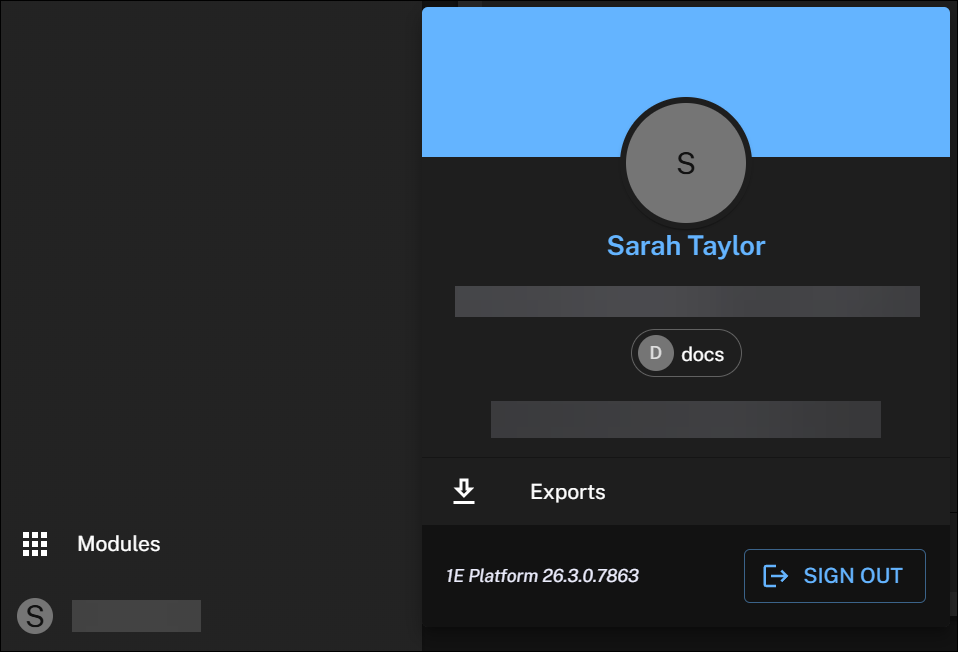
User profile: Click this to manage your exports, check your Platform version, or log out.
Dark mode is only available in the new UI. You can control the system theme using the switcher in Settings. For details refer to Appearance.
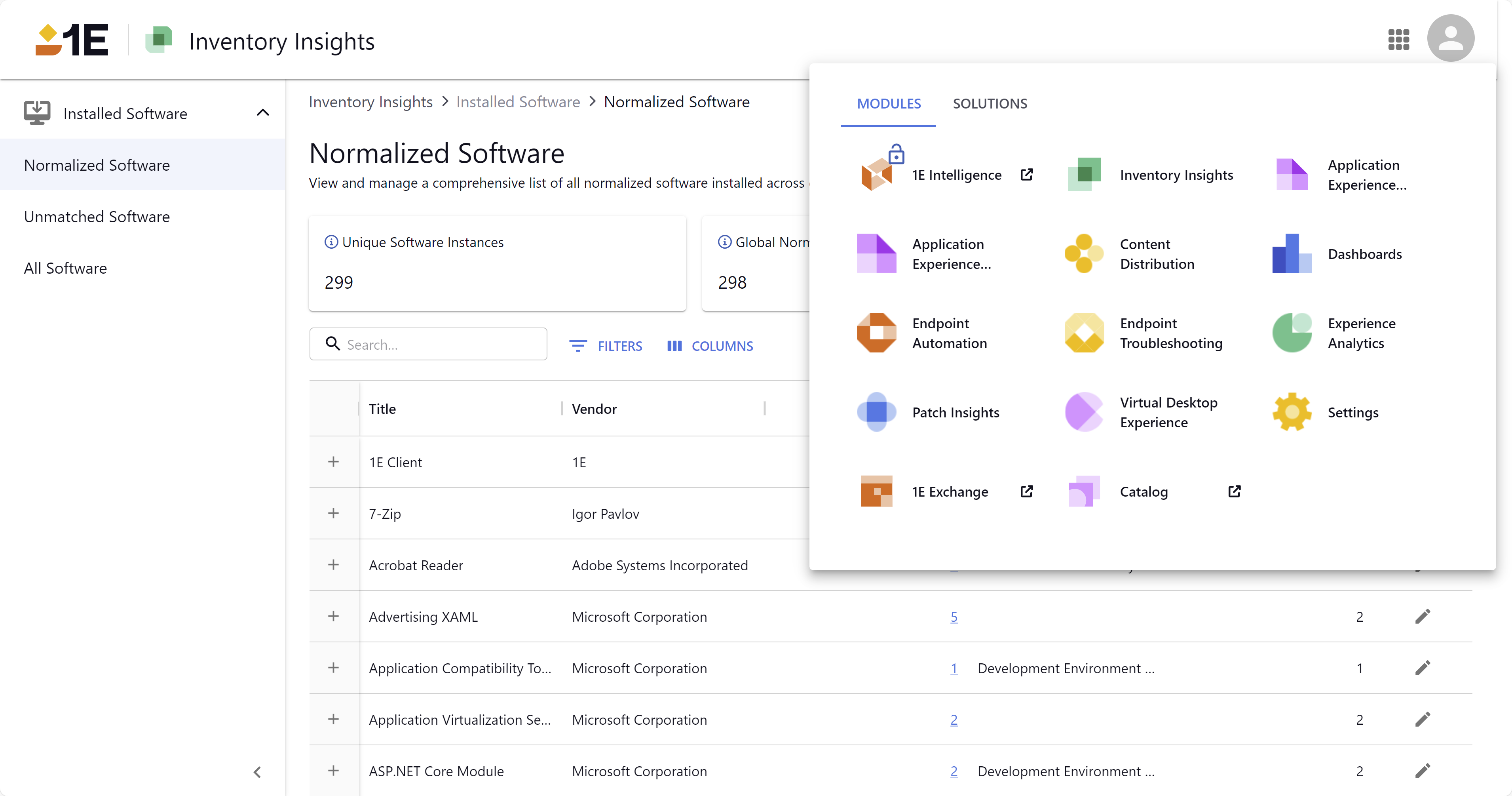
Module visibility is determined by your license.