TeamViewer DEX 26.3 release notes
 Schedule
The schedule is subject to change. When changes are made to the original schedule, they are indicated in red. Please check the TeamViewer Status Page for regular updates.
DEX Platform
|
Region |
Date |
Time from (UTC) |
Time to (UTC) |
|---|---|---|---|
|
CanadaCentral1 |
Monday, March 23, 2026 |
9 AM |
1 PM |
|
NorthEurope1 |
Tuesday, March 24, 2026 |
12 PM |
4 PM |
|
WestUS1 |
Wednesday, March 25, 2026 |
9 AM |
1 PM |
|
UKSouth1 |
Wednesday, March 25, 2026 |
7 PM |
11 PM |
|
EastUS1 |
Thursday, March 26, 2026 |
6 AM |
12 PM |
|
WestEurope1 |
Thursday, March 26, 2026 |
6 PM |
11 PM |
Solutions
|
Region |
Date |
Time from (UTC) |
Time to (UTC) |
|---|---|---|---|
|
CA-Central-1 |
Monday, March 23, 2026 |
10 AM |
12 PM |
|
EU-West-1 |
Tuesday, March 24, 2026 |
4:30 AM |
6:30 AM |
|
US-East-1 |
Thursday, March 26, 2026 |
10 AM |
12 PM |
This release includes enhancements and fixes for the Platform, Solutions and Client.
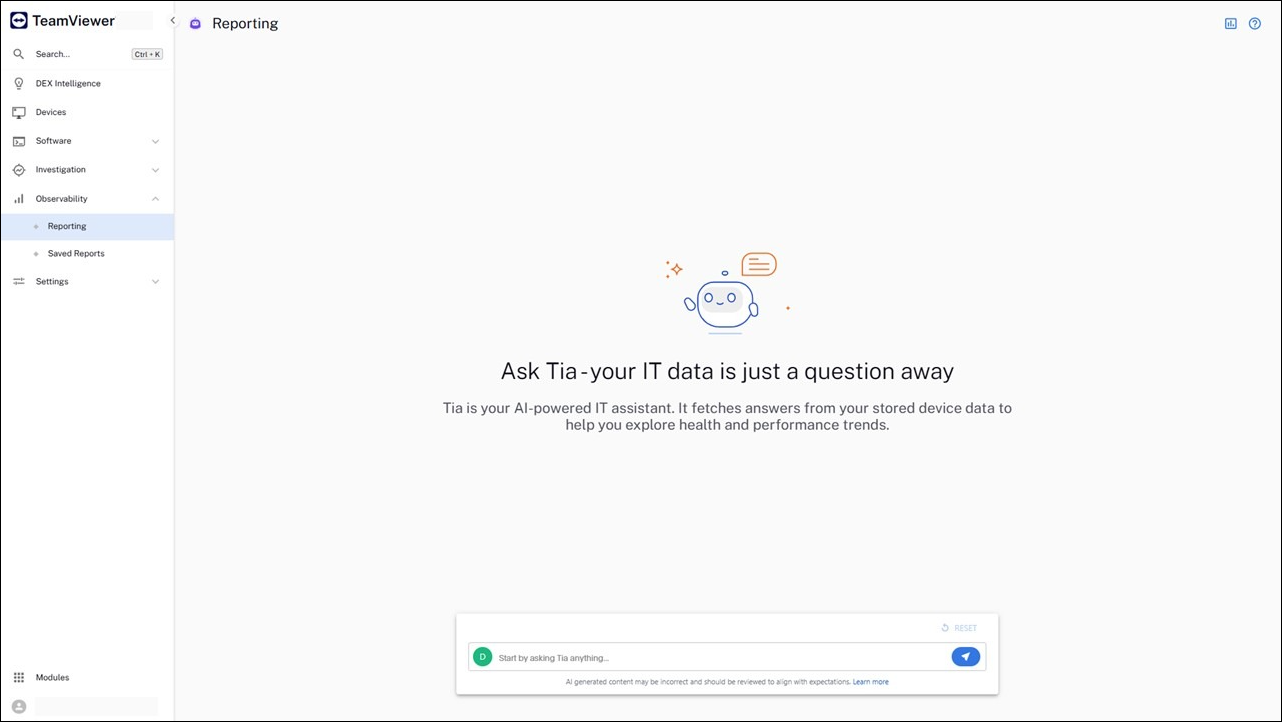
Tia Reporting
Tia Reporting allows you to ask questions in a natural language and instantly generate customizable reports from your organization’s data. Whether identifying trends, investigating issues, or answering ad hoc questions, Tia Reporting makes data exploration and dashboard creation intuitive, fast, and on demand. Refer to Observability.
Using Tia Reporting
Tia Reporting is initially offered as a feature available to Enterprise+ customers. Only users assigned the Full Administrator role or the Reporting roles (Administrator, Author, or Viewer) will be able to access and use Tia Reporting.
Access to Tia Reporting is managed through the Platform’s Roles and Permissions (Role-Based Access Control (RBAC)) settings. Users with Reporting permissions can interact with Tia Reporting, and the AI is only invoked when an authorized user submits a prompt. Administrators can disable access at any time by removing Tia Reporting permissions from user roles.
For this initial release, Tia Reporting supports reporting on the Experience data model, providing immediate visibility into digital experience insights through natural language queries. Support for additional data models are due to be introduced for future releases, expanding reporting capabilities across the Platform over time.
For this first release, Tia Reporting is available without TeamViewer AI credit monitoring, allowing Enterprise+ customers to explore and use the feature without tracking or managing AI credit usage. Additional details on the TeamViewer AI credit system and when credit monitoring is due to take effect will be shared at a later date.
While the initial rollout is limited to Enterprise+ customers, Tia Reporting is planned for availability in TeamViewer One Enterprise and DEX Enterprise license tiers in a future release.
Async Export enhancements
Functionality has been extended to support two new use cases:
-
Export sharing: You can now share your exports with teammates. Access to shared exports can also be revoked at any time by the user who shared them. Refer to Inventory Insights.
-
Export cancellation: You can now cancel exports that are currently in progress, as well as exports that are queued and have not yet started.
Platform notification emails
The sender address used by the Platform to send system notifications (such as instruction approvals and certificate renewal alerts) has been updated to a TeamViewer address.
-
Previous sender address: smtprelay@1e.com
-
New sender address: no-reply@notifications.teamviewer.com
To ensure continued delivery of Platform notifications, you should verify that the new sender address is allowed within your organization’s email security and not blocked or restricted.
Catalog navigation removed
The Catalog is no longer available from the main navigation. To streamline your workflow and reduce context switching, key Catalog capabilities have been integrated directly into Inventory Insights.
-
Software normalization: Create and manage normalization rules for software titles across the Normalized and Source sections.
-
Pricing and licensing: Add and manage licensing attributes and pricing information for software titles marked as licensable.
The Catalog remains accessible via a direct link (/Catalog/Product) on your tenant-specific platform URL.
Display mode removed from user tile
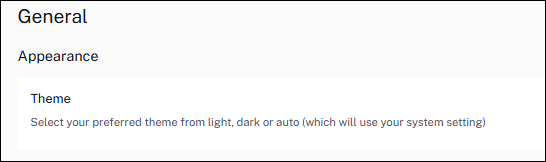
The option to change display preferences (light, dark, auto) has been removed from the user tile and is now available exclusively within the Enhanced Settings area of the console. This is a user-specific setting, and any changes apply only to the currently logged-in user. Refer to General.
Versions and support
Client
The Client has been updated in this release. The table below shows the supported operating systems and corresponding Client build versions.
|
Operating system |
1E Client build version |
|---|---|
|
Windows |
26.3.0.19 |
|
macOS |
26.3.0.19 |
|
Linux:
|
26.3.0.19 |
MSVCRT version is 14.44.35208.0 for this 1E Client release.
Applications and tools
Please review the list of supporting applications and tools, as it may change with each release. Associated resources can be downloaded from the TeamViewer Support Portal.
|
Applications and tools |
Updated with this release |
Versions supported with this release |
|---|---|---|
|
Client Deployment Assistant |
|
26.3.0.19 |
|
TIMS |
|
26.3.0.19 |
|
Content Distribution Tools |
|
26.3.0.11 |
|
PXE Everywhere |
|
26.1.0.4 |
|
1E SDK |
|
26.1.0.11695 |
|
1E Toolkit |
|
24.7.0.2 |
|
Product Pack Deployment Tool |
|
24.12.0.12256 |
|
1E PowerShell Toolkit |
|
1.2.33 |
|
DataSync Agent |
|
1.3.0.28 |

Other improvements and fixes
For a new instance, DEX Packs are pre‑loaded. If you are using an upgraded instance, you must download the latest DEX Packs from the Exchange.
|
Type |
Product/Client |
Issue ID |
Summary |
|---|---|---|---|
|
Feature |
TeamViewer DEX Hub |
DEXSOL-1892 |
We added an Update Log icon next to Last Updated in the DEX Packs. This lets you view a date‑grouped history of recent changes when accessed within the TeamViewer DEX Hub. Refer to TeamViewer DEX Hub. |
|
Feature |
Software Reclaim |
DEXSOL-1878 |
We improved the Software Reclaim UI so clickable counts now show a hand pointer for clearer, more intuitive navigation of hyperlinks within tables and charts. |
|
Feature |
Software Reclaim |
DEXSOL-1834 |
We improved Software Reclaim rule creation with searchable, descending-sorted vendor, title and version dropdowns. Refer to Using Software Reclaim. |
|
Feature |
Inventory Insights |
PLAT-23071 |
The Inventory > Device list now supports greater than and less than filters for Battery Health. |
|
Fix |
TeamViewer DEX Hub |
DEXSOL-1893 |
The TeamViewer Hub is now enabled by default for all Solutions customers and accessible from any Solution in the console. |
|
Fix |
Platform |
PLAT-26514 |
Search results logic within the Investigations area now include any recently uploaded instructions, ensuring you always see the most up‑to‑date information. |