TeamViewer DEX 26.8 release notes
 Schedule
The schedule is subject to change. When changes are made to the original schedule, they are indicated in red. Please check the TeamViewer Status Page for regular updates.
DEX Platform
|
Region |
Date |
Time from (UTC) |
Time to (UTC) |
|---|---|---|---|
|
CanadaCentral1 |
Monday, August 17, 2026 |
8 AM |
12 PM |
|
NorthEurope1 |
Tuesday, August 18, 2026 |
3 PM |
6 PM |
|
WestUS1 |
Wednesday, August 19, 2026 |
8 AM |
11 AM |
|
UKSouth1 |
Wednesday, August 19, 2026 |
6 PM |
9 PM |
|
WestUS2 |
Thursday, August 20, 2026 |
7 AM |
10 AM |
|
EastUS1 |
Thursday, August 20, 2026 |
8 AM |
11 AM |
|
WestEurope1 |
Thursday, August 20, 2026 |
5 PM |
8 PM |
Solutions
|
Region |
Date |
Time from (UTC) |
Time to (UTC) |
|---|---|---|---|
|
CA-Central-1 |
Tuesday, August 18, 2026 |
12 PM |
2 PM |
|
US-East-1 |
Thursday, August 20, 2026 |
11 AM |
1 PM |
|
EU-West-1 |
Friday, August 21, 2026 |
3.30 AM |
5.30 AM |
This release includes enhancements and fixes for the Platform and Solutions.
Tia Reporting AI 3.0
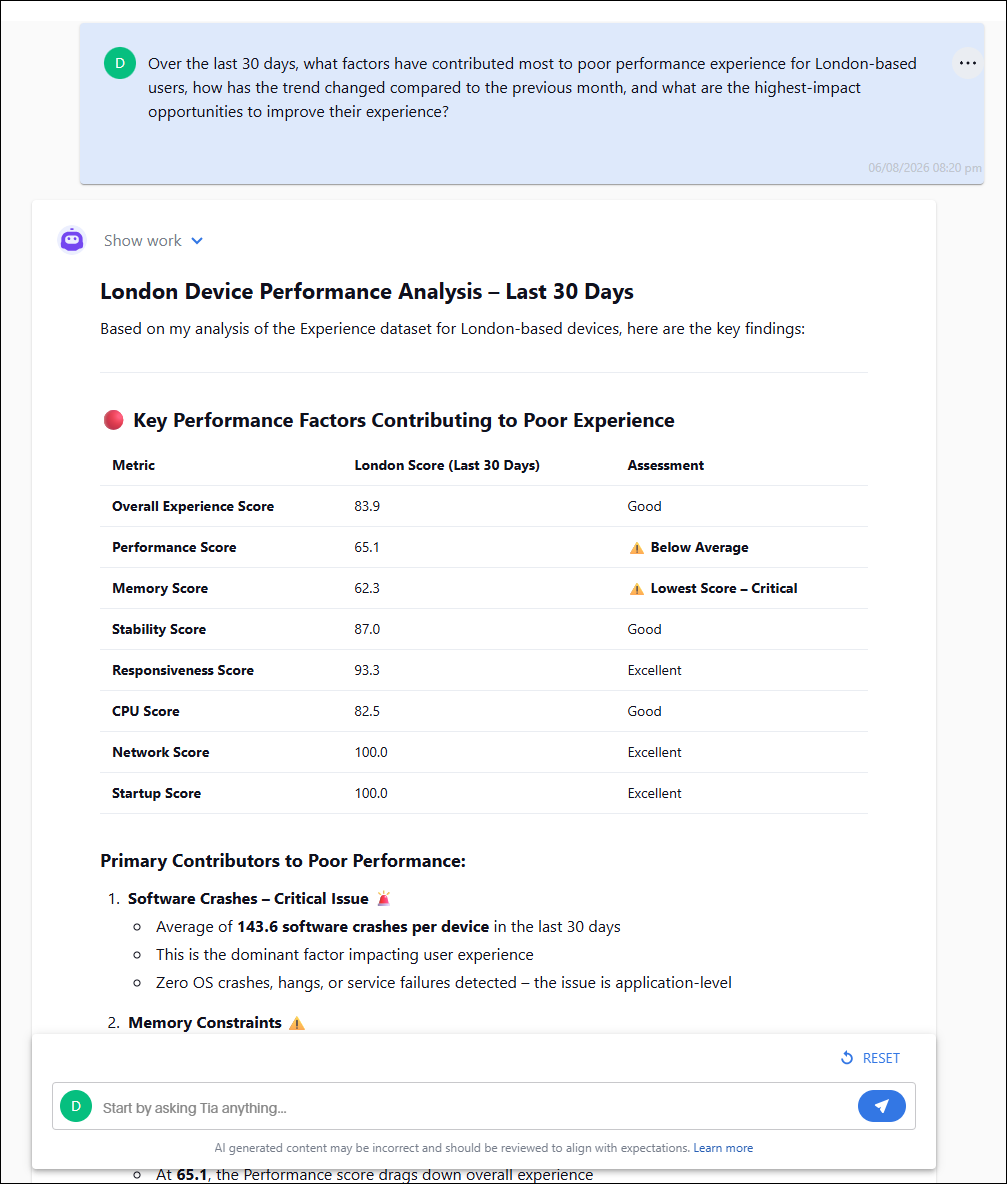
Tia Reporting AI 3.0 brings an upgrade to the intelligence behind conversational reporting by incorporating a next-generation AI engine into the Tia Reporting experience. Users can ask more natural, multi-part questions and receive faster, more accurate, and more contextually relevant insights from their Experience data.
Enhanced reasoning, query interpretation, and conversational understanding enable Tia to answer more sophisticated analytical questions with fewer prompts, helping administrators uncover trends, identify root causes, and make informed decisions more quickly. This new AI foundation also establishes a scalable Platform for the future expansion of Tia Reporting, enabling additional data models and cross-domain analysis to be incorporated over time as they become available.
Example
Instead of asking several individual questions, such as:
-
"Show me devices with poor performance experience."
-
"Limit the results to the London office."
-
"Compare the last 30 days to the previous 30 days."
-
"Summarize the biggest contributors."
Users can now ask a single question like:
"Over the last 30 days, what factors have contributed most to poor performance experience for London-based users, how has the trend changed compared to the previous month, and what are the highest-impact opportunities to improve their experience?"
Tia Reporting AI 3.0 interprets the complete request, performs the necessary analysis across the Experience data model, and delivers a concise, actionable response without requiring users to manually construct multiple reports or refine their query through several iterations.
Software and Software Reclaim

Within Normalized Software, three filters have been added; Unique Software Instances, Global Normalized Software, and Custom Normalized Software. Refer to Software for more information.
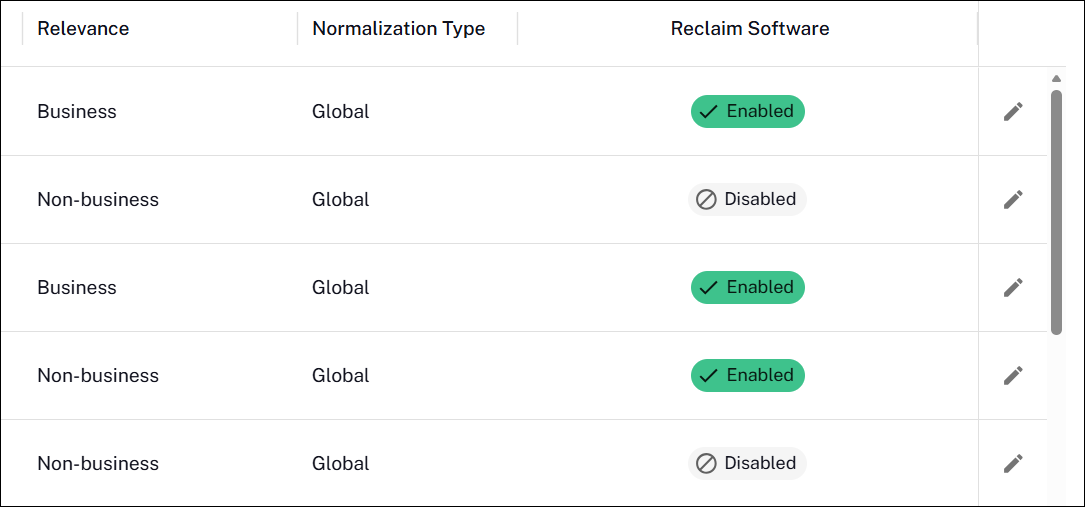
Within Normalized Software, a column has been added to identify whether software was globally or custom normalized. Custom normalized software is now reported by vendor and title. Previously, it was reported by vendor, title, and version.
-
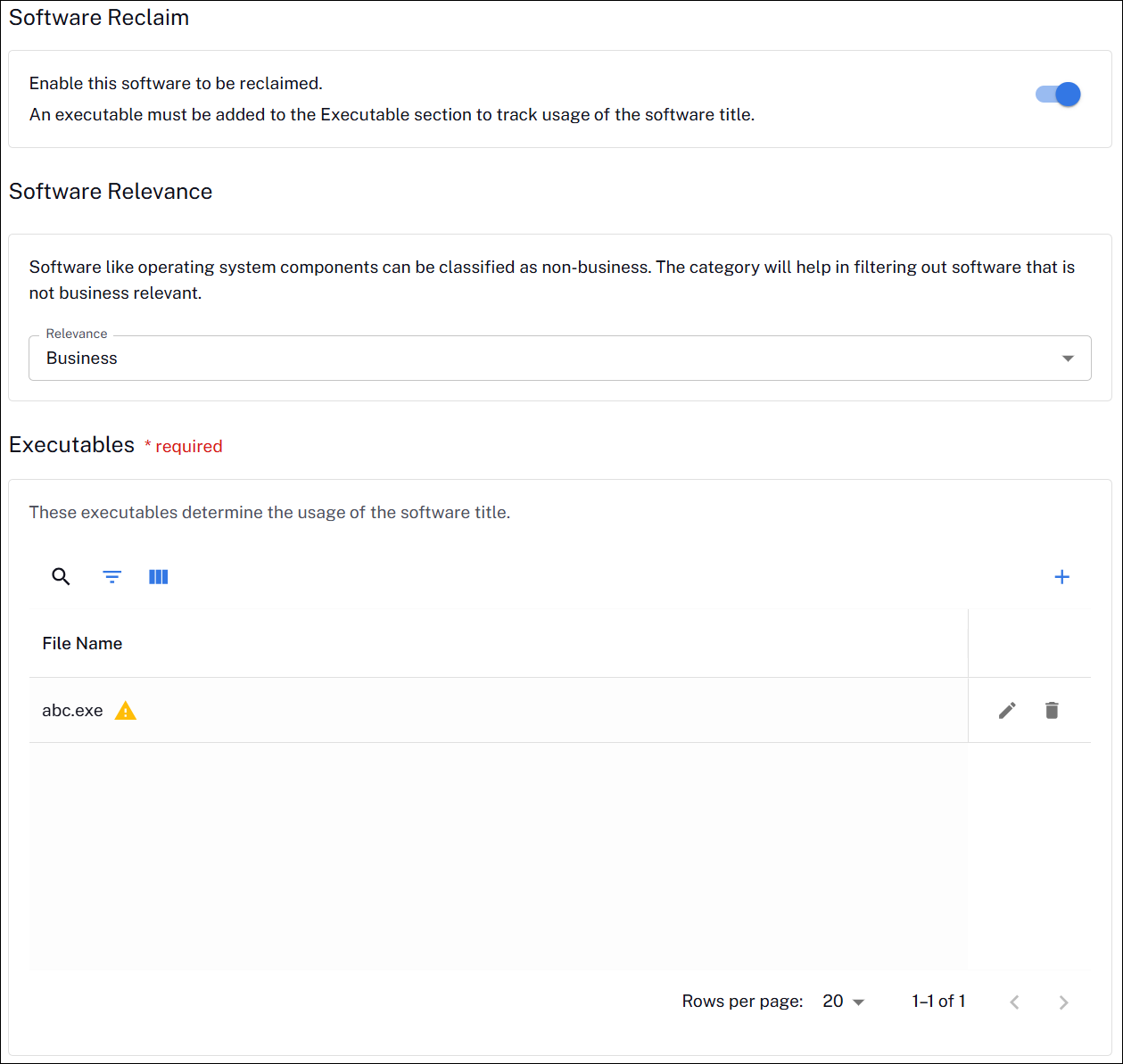
Software titles can be categorized as either business-relevant or non-business-relevant. Filters and custom views can be created for business-relevant software.
-
Software Reclaim can be enabled for a software title from the Edit Details page for that title within Normalized Software.
-
All software titles marked as Is Relevant in Software Reclaim will be migrated to software titles in the DEX Platform. Refer to Using Software Reclaim for more information.
Business Impact
New integration: Freshservice
We've added a new third-party integration with Freshservice. This enables seamless exchange of service requests, incidents, and related service management data between Freshservice and the Platform. Refer to Solutions Core configuration.
ServiceNow Event integration: Enhanced event handling
The ServiceNow Event integration has been updated to provide more granular event handling and improved configuration flexibility. Refer to Business Impact.
-
Multi-event handling enhancement:
Updated multi-event processing logic so that a separate ServiceNow event is generated for each unmatched field when a response contains multiple unmatched fields.
-
Node name configuration enhancement:
Added a new configuration option to control the node name sent to ServiceNow. Supported node name options:
-
Host Name (default)
-
Device Name (from the JSON response)
-
Endpoint Automation RBAC
The role GuaranteedState with GuaranteedState > Read as a global permission will be able to view the administration of policies and rules such as Endpoint Automation.
The Guaranteed State Report Viewer role enables targeted access for users who need visibility into compliance reporting, without the ability to manage rules or policies.
Refer to Configuring Endpoint Automation.
Removal of Administration Devices page
The Administration > Devices page has been identified as a duplicate of the Reports > Devices page. For this reason, the page Administration > Devices has been removed for a more streamlined Platform experience.
User Engagements RBAC
Within the User Engagements module, on both the classic UI and new UI, the page listing user engagements now only displays management groups that are visible to the end user in accordance with RBAC rules. Users can also only update and assign management groups for an engagement based on those RBAC rules.
Refer to Requirements.
Settings
AI settings: Tia Reporting
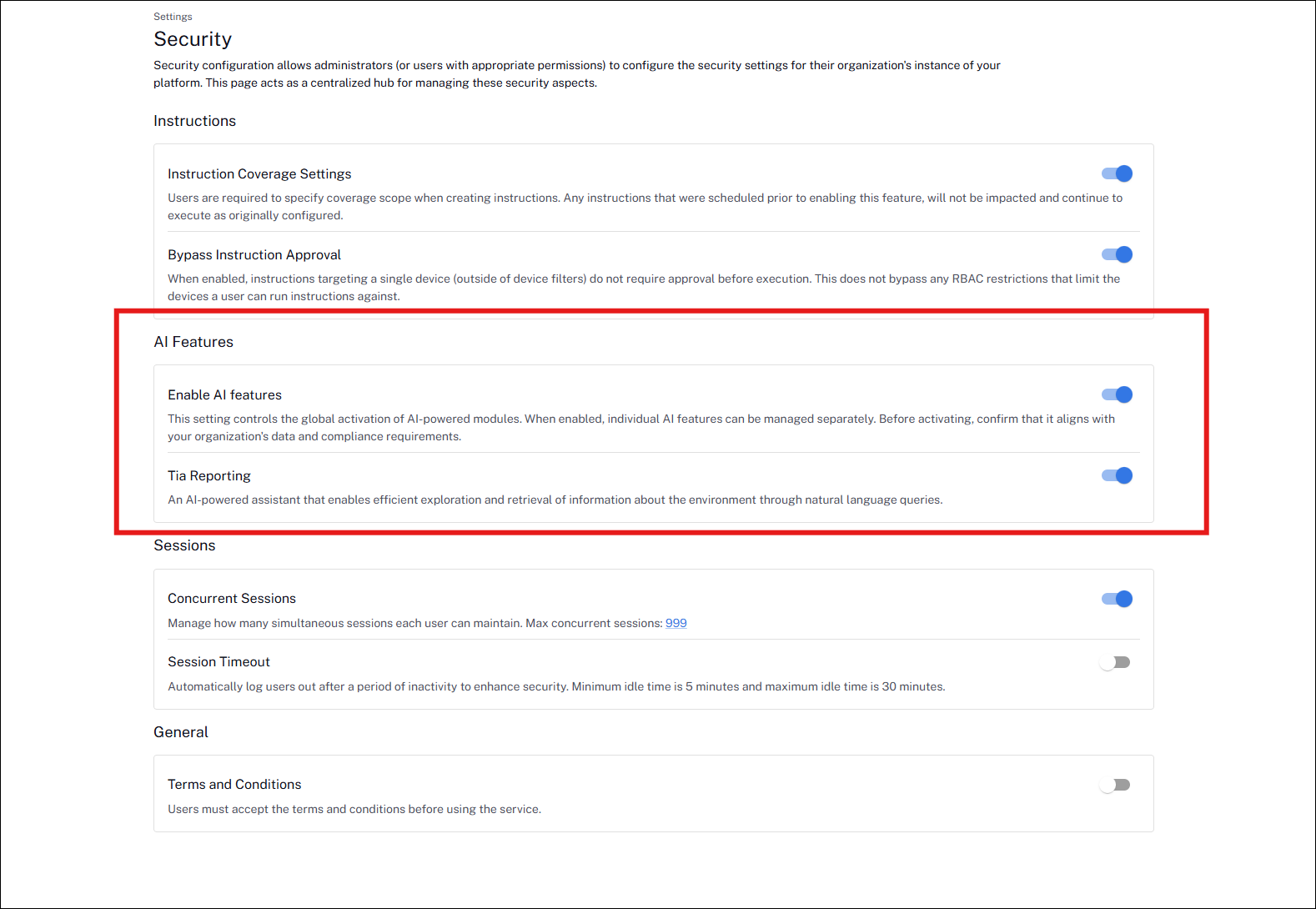
We've added centralized AI Features administration, allowing administrators to enable or disable AI capabilities globally or individually, with settings persisted across sessions. Reporting and related Observability features now respect licensing, AI feature configuration, and RBAC permissions, ensuring users only see functionality they're authorized to access. This also improves the Observability experience by removing inaccessible navigation items and eliminating loading and access issues for unauthorized users.
Refer to Reporting.
Sync log
The Sync Log is a page in Settings > General > Monitoring, that displays statistics on the records processed. This enables organizations to self-validate that all their data has been uploaded and processed.
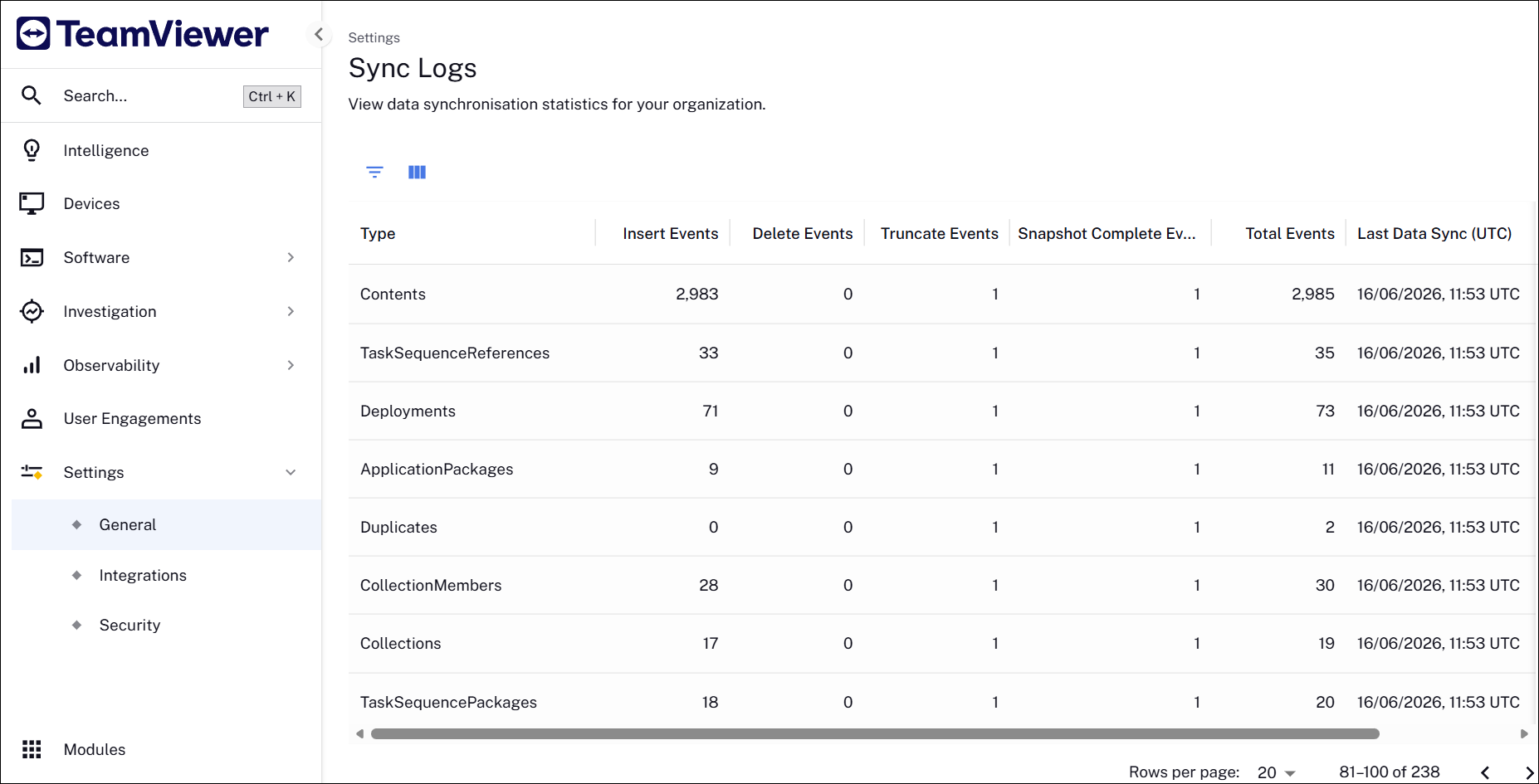
Refer to General.
Intelligence
DEX Intelligence has been renamed to Intelligence within the platform.
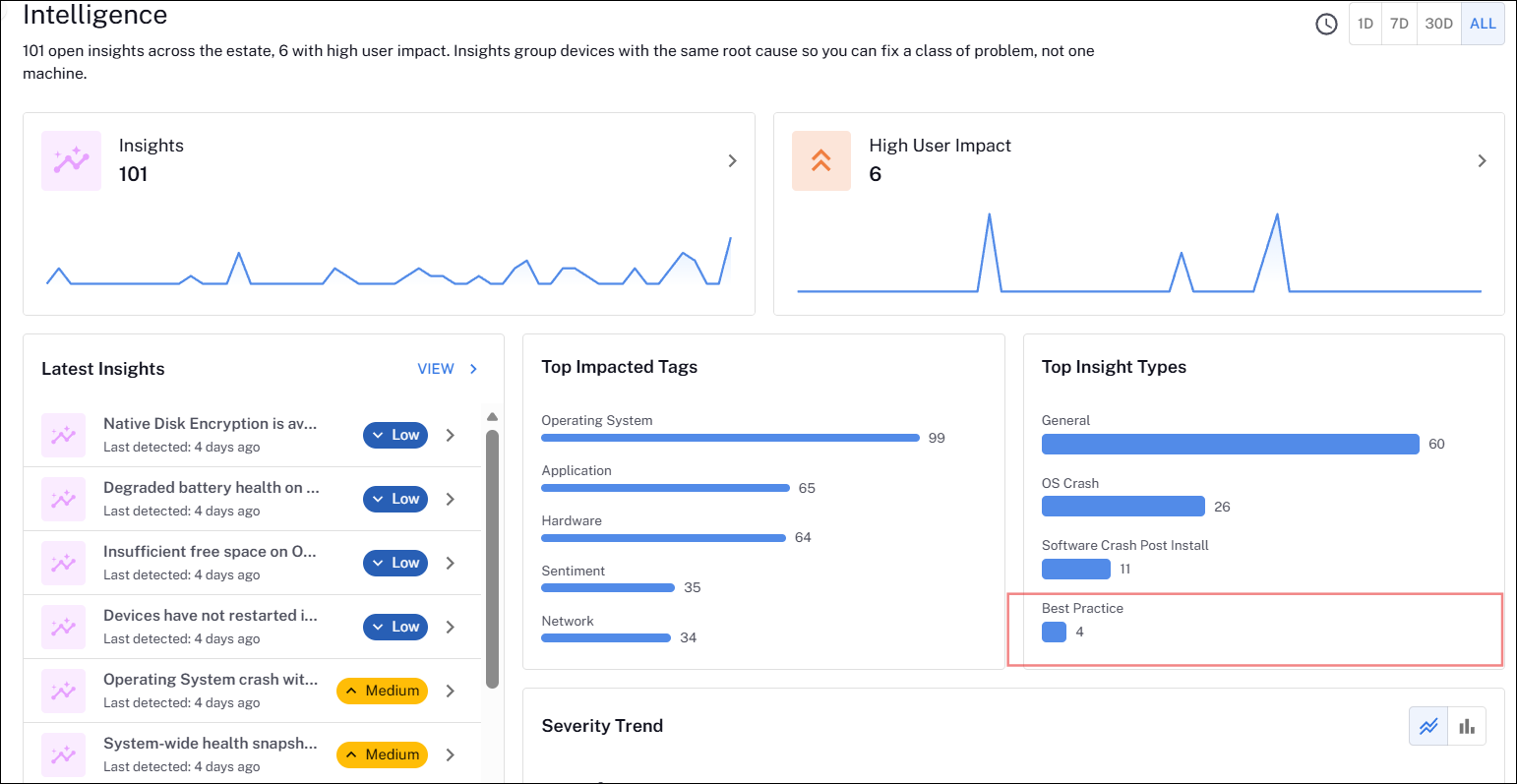
Best Practice Insights is a new category of insights designed to help IT administrators proactively identify devices that fall outside recommended operational and security standards.
Best Practice Insights analyze device telemetry across your device estate and surface actionable recommendations based on established best practices and statistical thresholds.
Initial insight types include:
-
Disk Encryption: Identify devices that are not encrypted and may pose security or compliance risks.
-
Battery Health: Detect devices with degraded battery capacity (<80%) that could impact user productivity.
-
Disk Space: Highlight devices with low available storage (<10%) that may affect performance and software updates.
-
Device Not Restarted: Surface devices that have not restarted (last 14 days) within the recommended time frame, helping ensure updates are applied and devices remain stable.
Key benefits:
-
Proactively identify security, performance, and reliability risks.
-
Prioritize remediation efforts across large device fleets.
-
Improve compliance with organizational standards.
-
Reduce support overhead through early issue detection.
Versions and support
Applications and tools
Please review the list of supporting applications and tools, as it may change with each release. Associated resources can be downloaded from the TeamViewer Support Portal.
|
Applications and tools |
Updated with this release |
Versions supported with this release |
|---|---|---|
|
Client Deployment Assistant |
|
26.7.0.3 |
|
TIMS |
|
26.7.0.29 |
|
Content Distribution Tools |
|
26.3.0.11 |
|
PXE Everywhere |
|
26.1.0.4 |
|
1E SDK |
|
26.6.0.6239 |
|
1E Toolkit |
|
24.7.0.2 |
|
Product Pack Deployment Tool |
|
24.12.0.12256 |
|
1E PowerShell Toolkit |
|
1.2.34.0 |
|
DataSync Agent |
|
1.4.0.44 |
Enhancements and fixes
|
Enhancement or Fix |
Product/Client |
Issue ID |
Summary |
|---|---|---|---|
|
Enhancement |
Management Group Rules |
PLAT-30422 |
We have added 5 new management group rule attributes. These don’t rely on the software catalog:
Refer to Management Groups rules. |
|
Enhancement |
Experience Analytics |
PLAT-31259 |
The Experience Analytics > Inventory Management > Users screen now follows the Experience management group filtering and role-based access control. User APIs filter each user’s device list to include only devices within the administrator’s permitted management groups. Users with no accessible devices are automatically excluded from the results, ensuring the screen displays only users and devices the administrator is authorized to view. Refer to Requirements. |
|
Enhancement |
Data Access |
PLAT-31627 |
There is a new view available in Delta sharing inventory_device_software. The view combines normalized and non-normalized software inventory. Refer to Using Software Reclaim. |
|
Fix |
Approvals |
PLAT-31263 |
Previously on the Approvals page grid view, sorting by the Created UTC column required two clicks. This bug has been corrected so now only one click is required to sort the column. |
|
Enhancement |
Business Impact |
DEXSOL-2289 |
In Business Impact, the ServiceNow third-party ticketing integration has been enhanced to support OAuth authentication in addition to the existing Basic Authentication. Refer to Solutions Core configuration. |
|
Fix |
Endpoint Troubleshooting |
PLAT-31581 |
We fixed an issue where the approximate target count on the Endpoint Troubleshooting page failed to update. A routing conflict caused the ApproxTarget API to return an error, preventing the UI from displaying the correct target value. This has been resolved in 26.8. |
|
Fix |
Endpoint Troubleshooting |
PLAT-28034 |
We fixed a caching bug in Endpoint Automation rule reports where stale data was served even after new policy responses were received. Cache-time tracking has been moved to the distributed cache, ensuring reports update correctly across all pods. |
|
Enhancement |
Exoprise Agent |
PLAT-20714 |
The Exoprise agent is now bundled with the 1E Client installer. Exoprise RUM functionality (Service Watch Desktop) is delivered through the existing 1E Client footprint, eliminating the need for customers to deploy and maintain a separate Exoprise agent. The 1E Client downloads and installs the Exoprise components automatically in the background, with no user interaction required. Refer to Integrations. |
|
Enhancement |
Endpoint Automation |
PLAT-14848 |
When a Management Group sync completes with new or updated group memberships, a targeted policy deployment is now automatically triggered for the affected devices only. Devices in unchanged groups are unaffected, eliminating the need for manual redeployment after policy membership updates. Refer to Deploying policies. |